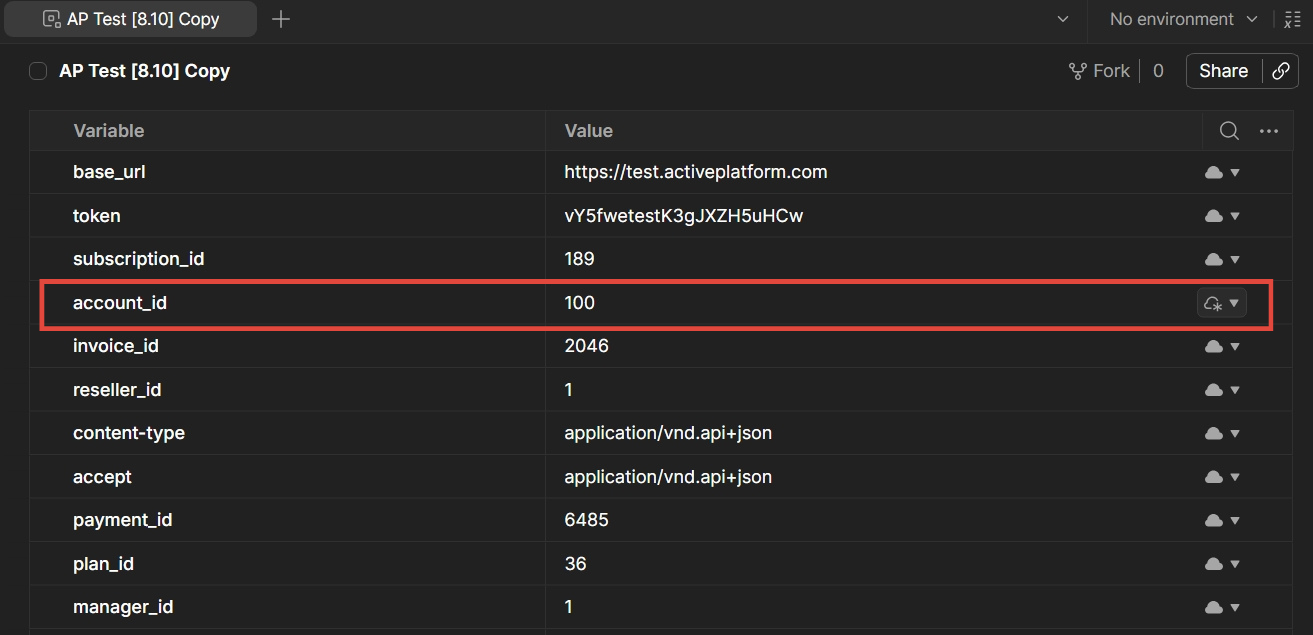
Postman is a popular tool for testing and developing APIs. To make it more convenient for developers who are integrating with ActivePlatform, it is recommended to use a Postman collection that contains the full set of API methods and the corresponding environment. The pre-configured environment contains a non-exhaustive set of variables that are referenced by the collection including the base URL and authentication token for getting access to the API service.
The collection includes a brief description of method parameters and examples of requests and responses.
In this article:
Installing the collection and environment
The collection and environment require the installation of Postman. To download Postman, visit https://www.postman.com/downloads.
To install the collection and environment:
-
Download the following archive file and unzip the
ActivePlatform Reseller API [{version}].postman_collection.jsonandAP Test [{version}].postman_environment.jsonfiles where{version}represents the version of the ActivePlatform:
9.6 Reseller API.zip -
Open Postman.
-
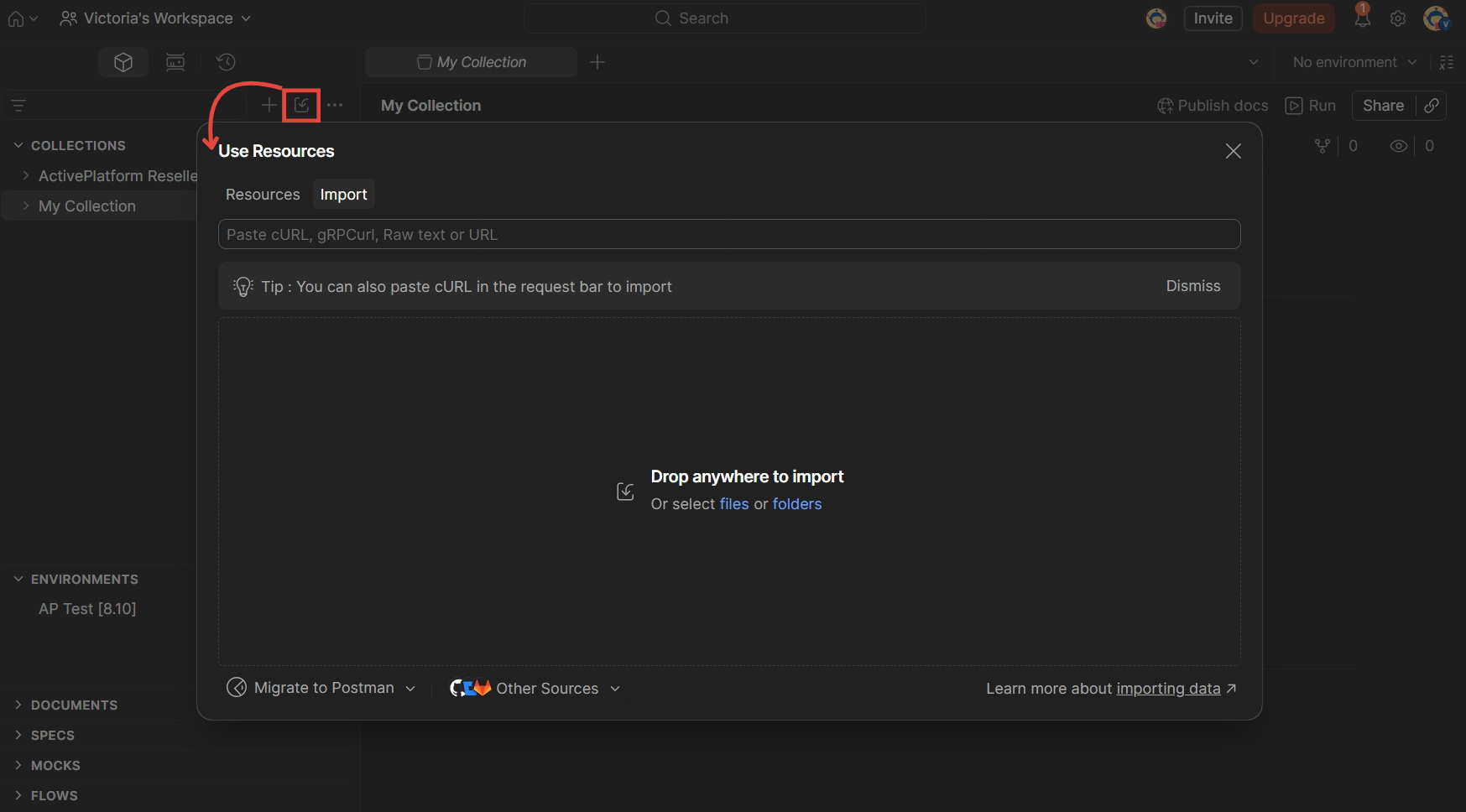
In your workspace, click Use resources or import at the top and drop the downloaded collection files.
-
Next, click Import.
-
Wait until Postman loads the collection and environment for the selected version of ActivePlatform.
Once it’s done, you will see the ActivePlatform Reseller API collection and the AP Test environment added under Collections and Environments in the left sidebar.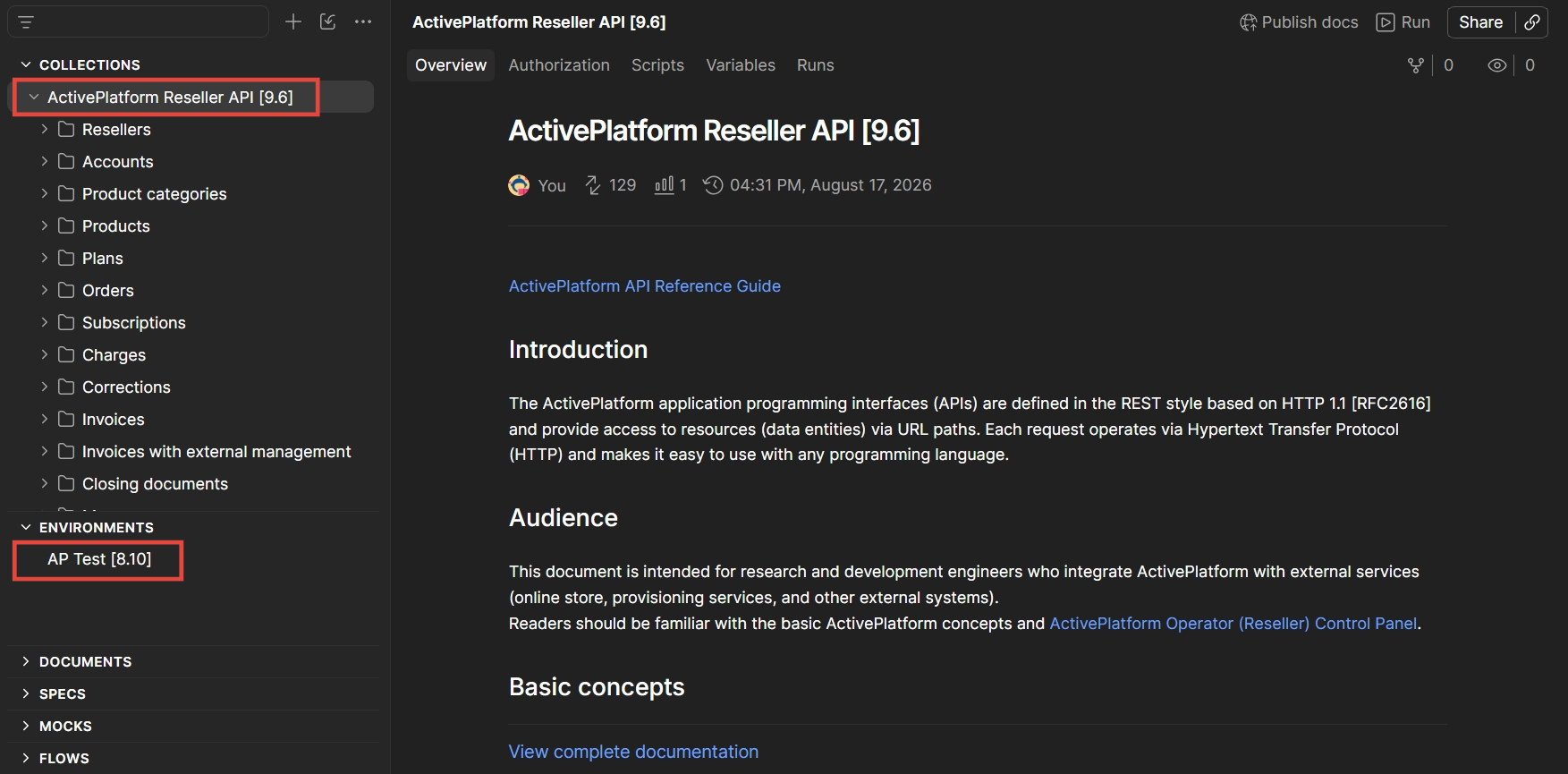
Configuring the environment
To get access to the API service, it is necessary to configure the following parameters:
-
In the
base_urlvariable, specify the path of the ActivePlatform installation (for example, https://test.activeplatform.com).
For the base_url variable, you may need to request the URL of the server from the support or DevOps team.
-
For the
tokenvariable, you need to specify the valid authentication token to be able to perform API requests. For the procedure of generating an access token, see Authorization and authentication.
After getting access to the API service, the values of the other variables can be set when needed.
How to set the value of an environment variable in Postman
To set the value of an environment variable in Postman:
-
Open Postman and select the required environment.
The list of environment variables is displayed.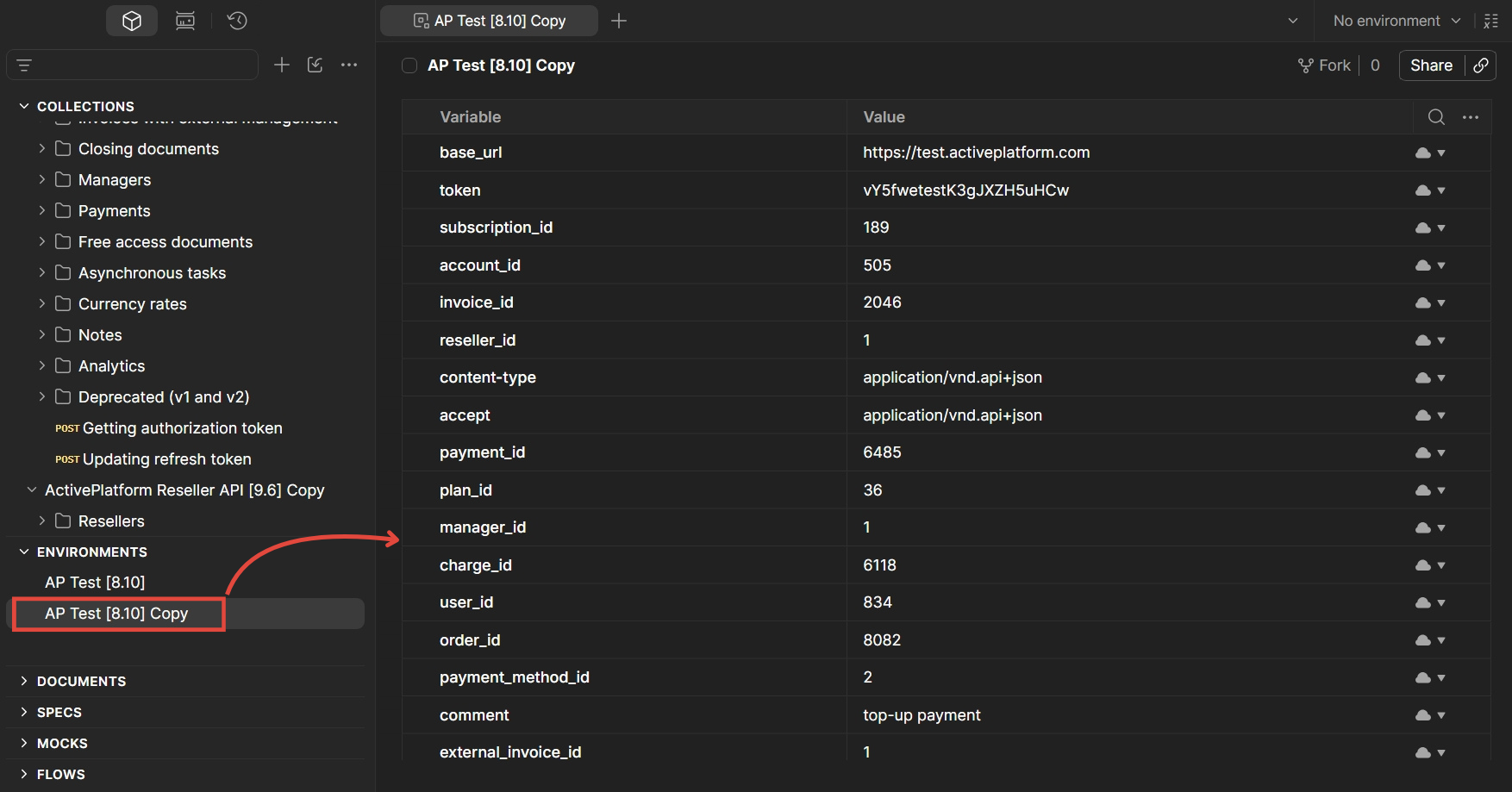
-
Locate the required variable row and update its value as needed.