
The new created notification category is also created for all downstream resellers (see Delegating UI templates, notification templates, event handlers, and notification categories).
To create a notification category:
-
Go to Notification Categories (see Navigation). The list of notification categories is displayed (see Viewing the list of notification categories).
-
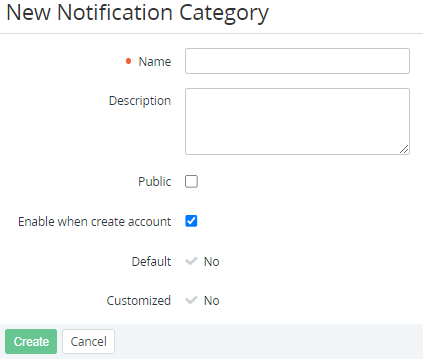
Click Create. The New Notification Category page is displayed.
-
In the Name field, enter the name of the notification category. Since the notification category is delegated to all downstream resellers, it must have a unique name that does not match the name of any other notification category of all downstream resellers.
-
In the Description field, enter additional information about the notification category.
-
To make the notification category available for configuring in the Customer Control Panel (see ), select the Public checkbox.
-
To turn on sending the notifications of this category to new accounts by default, select the Enable when create account checkbox.
-
Click Create. The new notification category will be created and displayed in the list for the current reseller and all its downstream resellers.