
Before creating a product line, at least one vendor must be created on the root reseller level (see Creating a new vendor).
To create a product line:
-
Go to Product lines (see Navigation). The list of product lines is displayed (see Viewing the list of product lines).
-
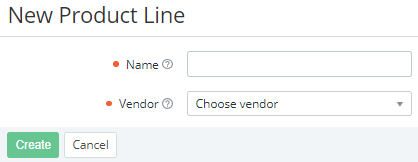
Click Create. The New product line page is displayed.
-
In the Name field, enter the name of the product line up to 255 characters.
-
In the Vendor list, select a vendor associated with the product line (see Vendors). If you create a product line from the Product lines tab of a vendor (see Managing vendor information), the current vendor is selected by default, but you can also select any other.
-
Click Create. The new product line is created for the current reseller only and displayed in the list.