
To detach an account class from a discount:
-
Go to Discounts. The list of discounts is displayed (see Viewing the list of discounts).
-
Click the ID or name of the required discount. The discount details page is displayed (see Viewing and updating discount details).
-
Go to the Account Classes tab. The list of attached account classes is displayed (see Viewing the list of attached account classes).
-
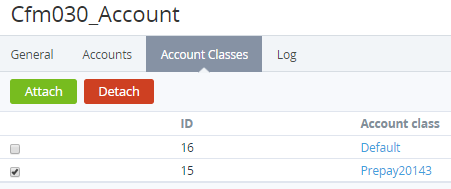
In the row of the required account class, select the checkbox.
-
Click Detach. The updated list of attached account classes is displayed.