
The details page of a connector based on the Vendor Service Plugin (VSP) allows managing integration settings used for service provisioning.
To configure the integration settings of a connector based on the Vendor Service Plugin (VSP):
-
Go to Connectors (see Navigation). The list of connectors is displayed (see Viewing the list of connectors).
-
Click the ID or name of the required connector. The connector details page is displayed (see Viewing and updating connector details).
-
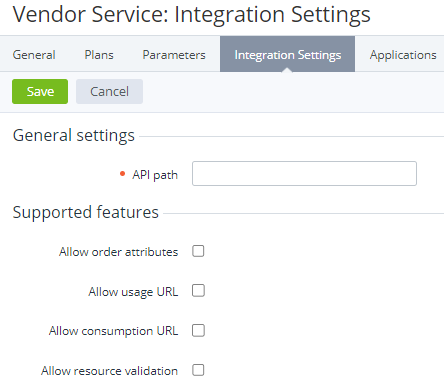
Go to the Integration settings tab. The connector integration settings page is displayed.
-
In the API path field, enter the microservice URL to interact with the vendor service.
-
In the Supported features group, select the checkboxes next to the features required for service provisioning (for service-specific details, see ):Allow order attributes — use additional order attributes.Allow usage URL — get the current number of resources in use on the service side.Allow consumption URL — collect the resource consumption (pay-as-you-go).Allow resource validation — validate the new number of resources against the current in use on the service side.
-
Click Save.