
To view and update Certificate Reseller's details:
-
Sign in to the Operator Control Panel.
-
On the Navigation Bar, go to Certificate Resellers. The list of Certificate Resellers (see Viewing the List of Certificate Resellers) is displayed.
-
Click the ID or Name link for the required Certificate Reseller. The Certificate Reseller's details page is displayed.
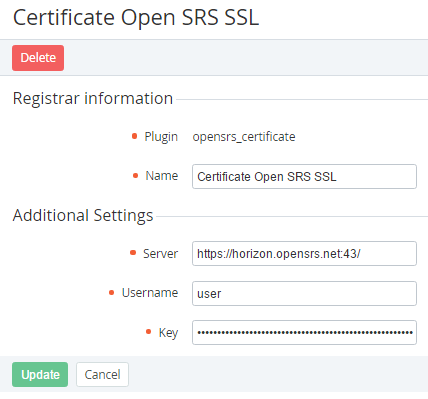
The Certificate Reseller's details page includes the following information:
-
-
Plugin — name of the Plugin that is used for connecting to the SSL certificate service.
-
Name — name of the Certificate Reseller.
-
Additional settings — options for connecting to the SSL certificate service. The number of options in this group depends on the selected Plugin.
-
To update the Certificate Reseller:
-
Edit options that are available for changing.
-
Click the Update button to save the changes.