
To view the list of event handlers, go to Event Handlers (see Navigation).
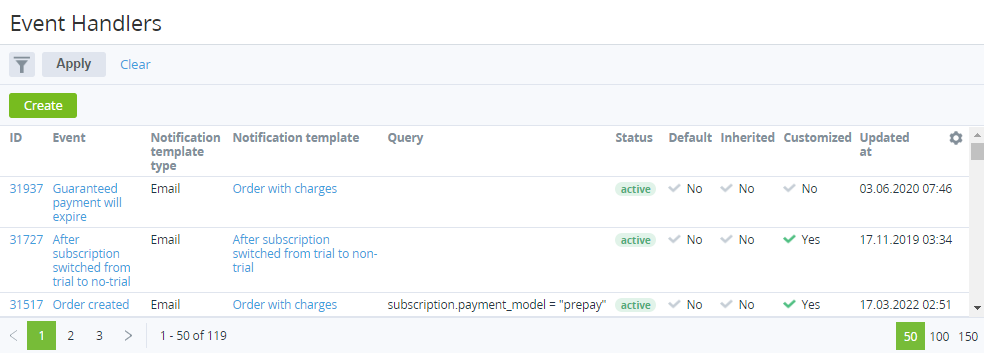
The list of event handlers with the following columns:
-
ID — the unique identification number of an event handler.
-
Event — the name of an event handler.
-
Notification template type — one of the following: Email, SMS, or Client Panel.
-
Notification template — the name of a template for generating notification messages.
-
Query — the request and conditions of an event handler.
-
Status — the status of an event handler: Active or Inactive (see Activating an event handler and Deactivating an event handler).
-
Default:Yes — an event handler was installed by default (for the operator only).No — an event handler was inherited or created by a manager (see Reseller's settings inheritance).
-
Inherited — indicated whether an event handler was delegated from the upstream reseller.
-
Customized:Yes — an event handler was edited by a manager (Viewing and updating event handler's details).No — on the following cases:A new event handler is created by a manager.An Inherited event handler matches the state of the corresponding event handler of the upstream reseller (see Reverting the state of delegated event handler).
-
Updated at — the date and time when an event handler was updated.