
To view the list of subscriptions sold by the downstream resellers on all levels:
-
Go to Resellers (see Navigation). The list of resellers is displayed (see Viewing the list of resellers).
-
Go to the Reseller Subscriptions tab. The list of reseller subscriptions is displayed.
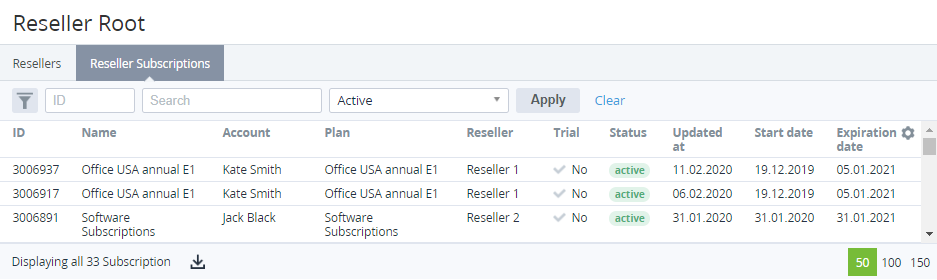
The list of reseller subscriptions is similar to the list in the Subscriptions section (see Viewing the List of Subscriptions) with the following exceptions:
-
The values in the list do not have links.
-
The Manager column is replaced by the Reseller column. The Reseller column includes the name of the reseller that sold a subscription.
-
The Individual price column is absent.
-
The Payment model column is absent.