
To view the list of SMS Gates:
-
Sign in to the Operator Control Panel.
-
On the Navigation Bar, go to SMS Gates. The list of SMS Gates is displayed.
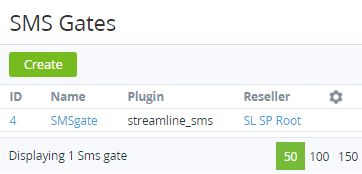
The SMS Gates displays the following blocks:
-
-
Top bar (see Working with the list of objects).
-
List of SMS Gates with the following columns:ID — unique identification number of the SMS Gate.Name — name of the SMS Gate.Plugin — name of the Plugin, which is used for connecting to the SMS service.Reseller — name of the Reseller who uses the SMS Gate.
-