
To view the list of users, go to Users (see Navigation).
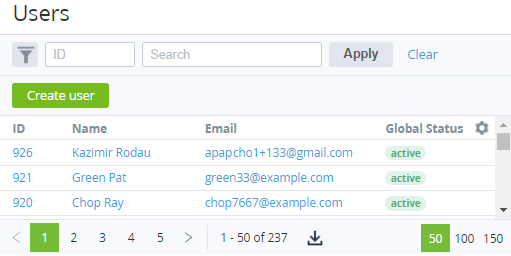
The list of users includes the following columns:
-
ID — the unique identification number of a user.
-
Name — the user's name.
-
Email — the user's email used as the login to access the Customer Control Panel.
-
Global status — the user status in the platform for all attached accounts: Active or Inactive.