
If a Domain name was registered by an external registrar you can add an External Domain to ActivePlatform to manage DNS records:
-
Sign in to the Operator Control Panel.
-
On the Navigation Bar, go to Domains (see Navigation). The list of Domains is displayed (see Viewing the List of Domains).
-
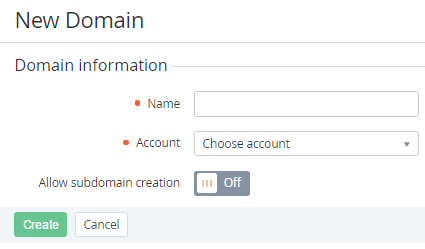
Click the Create button on the Toolbar. The New Domain page is displayed.
-
In the Name field, type the name of the external domain, for example, activeplatform.com.
-
In the Account list, select customer's account that owns the domain.
-
You can set Allow subdomain in the On position to permit the customer to add subdomains.
-
Click Create. The new domain will be displayed on the page of this Domain (see Manage DNS records).