
To create a plan category:
-
Go to Plan Categories (see
Navigation). The list of plan categories is displayed (see
Viewing the list of plan categories).
-
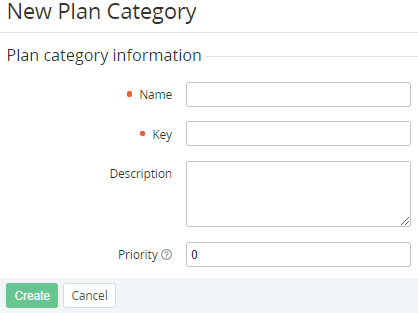
Click Create. The New Plan Category page is displayed.
-
In the Name field, enter the plan category name.
-
In the Key field, enter the unique key to refer to the plan category via API (see Plans) or by a placeholder (see Using placeholders for event handlers).
-
Optionally, in the Description field, enter the plan category description.
-
In the Priority field, enter the number used to define the displaying order in the list. A plan category with a bigger number is displayed in a higher position. The default value is 0.
-
Click Create. The plan category is created and displayed in the list of plan categories.