
To create a custom attribute for accounts of a specific account type:
-
Go to Account Types (see Navigation). The list of account types is displayed (see Viewing the list of account types).
-
Click the ID or name of the required account type. The account type details page is displayed (see Viewing and updating account's details).
-
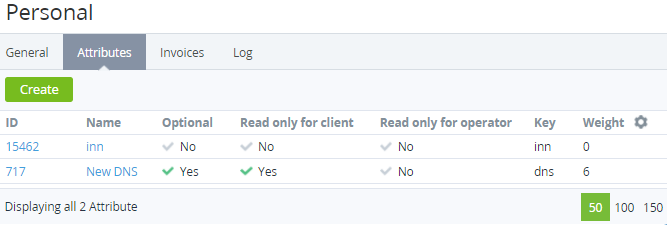
Go to the Attributes tab. The list of attributes linked to the account type is displayed.
-
Click Create. The New Attribute page is displayed.
-
Enter information about the attribute (see Creating an attribute) with the following specifics:The parameter Applied to = Account is read-only.In the Account types group, the current account type is automatically selected as read-only. Other account types can be added later (see Viewing and updating attribute's details).