
To continue configuring a new reseller, you need to access its Operator Control Panel and perform all operations using the credentials of a manager of this reseller, unless stated otherwise.
To create a manager that will be used to configure a new reseller:
-
Go to Resellers (see Navigation). The list of resellers is displayed (see Viewing the list of resellers).
-
Click the ID or name of the required reseller. The reseller details page is displayed (see Managing reseller's information).
-
On the General tab, in the Login field, click the to Reseller Control Panel link.
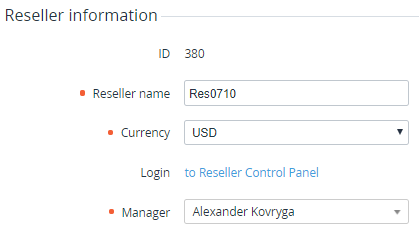
You will be redirected to the Operator Control Panel of the selected reseller. -
Create a manager with the System administrator role (see Adding a manager).