
Editing an order allows you to cancel an existing order and create a new one of the same type and specify its new parameters.
An order can be edited in the following cases only:
-
In the Waiting for payment status within the Prepay model.
-
In the Waiting for provisioning status (a delayed order).
An order linked to a joined payment (see Joining payments for the Prepay model) cannot be edited.
To edit an order:
-
Go to Orders (see Navigation). The list of orders is displayed (see Viewing the list of orders).
-
Click the ID or number of the required order. The order details page is displayed (see Viewing order details).
-
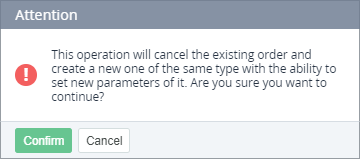
Click Edit. The confirmation window is displayed.
-
Click Confirm. The selected order and the linked payment are cancelled. A page of configuring a new order is displayed.