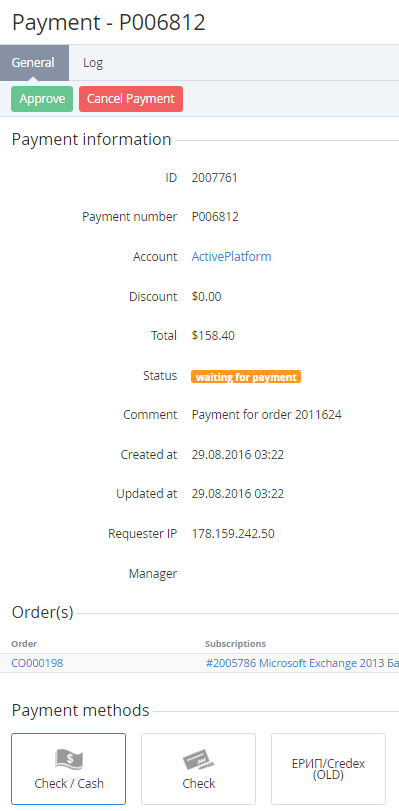
To manually confirm that a customer paid for an order, complete the linked payment in the platform. Manual confirmation of a payment is available for orders in the Waiting for payment status only.
To manually approve a payment for an order:
-
Go to Orders (see Navigation). The list of orders is displayed (see Viewing the list of orders).
-
Click the ID or number of the required order. The order details page is displayed (see Viewing order details).
-
On the General tab, in the Order information group, click the payment link. The payment details page is displayed (see Viewing payment details).
-
In the Payment methods group, select the required payment method and click Approve. The payment and order get the Completed status.