
To edit a menu item:
-
Go to Storefront (see Navigation).
-
The General tab of the Customer Store Control Panel is displayed (see Customer Store general settings).
-
Go to the Menu tab. The list of the menu items is displayed (see Viewing menu items list).
-
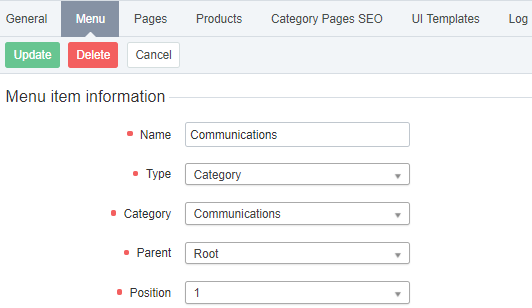
Click the name of the required menu item. The menu item information page is displayed.
-
Make the necessary changes (see Creating menu item).
-
Click Update.