
The standard layout and common elements can be removed from Customer Store pages. To do this, remove a link to the Layout UI template from other UI templates.
To remove a link to the Layout UI template:
-
Go to Storefront (see Navigation). The General tab of the Customer Store Control Panel is displayed (see Customer Store general settings).
-
Go to the UI Templates tab. The list of UI templates is displayed (see Viewing UI templates list).
-
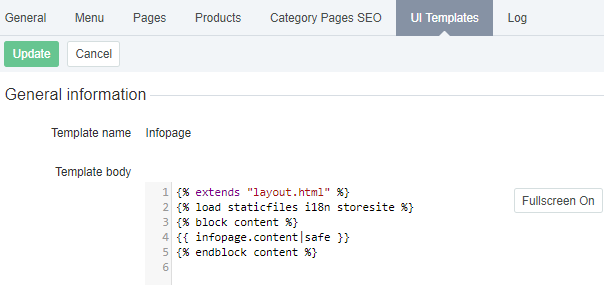
Click the name of the required UI template. The UI template page is displayed.
-
In the Template body section, find and delete the following line:
{% extends "layout.html" %} -
Click Update.