
To view and update a DNS record:
-
Sign in to the Operator Control Panel.
-
On the Navigation Bar, go to Domains (see Navigation). The list of Domains is displayed (see Viewing the List of Domains).
-
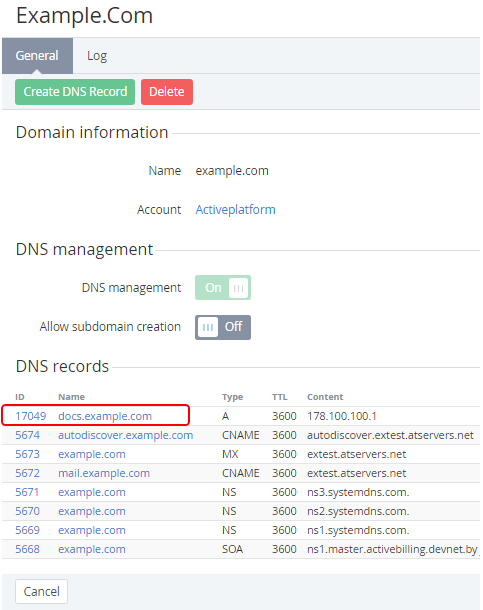
Click the ID or Name link for the required Domain. The domain's details page is displayed on the screen.
-
In the DNS records group, click the ID or Name link for the required record.
-
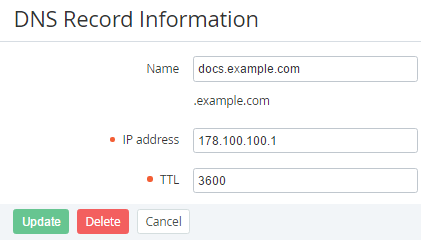
Depending on the type selected DNS record, the DNS Record Information page displays a different set of the fields for entering the DNS-record settings. For example, for the A record you can update the following options in the DNS Record Information:
IP address — an IP-address of the end-server;TTL — a count of seconds that the DNS record stays valid (recommended value — 3600). -
Click Update button.