
To view and update TLD's details:
-
Sign in to the Operator Control Panel.
-
On the Navigation Bar, go to TLDs (see Navigation). The list of TLDs is displayed (see Viewing the List of TLDs).
-
Click the ID or Name link of the required TLD.
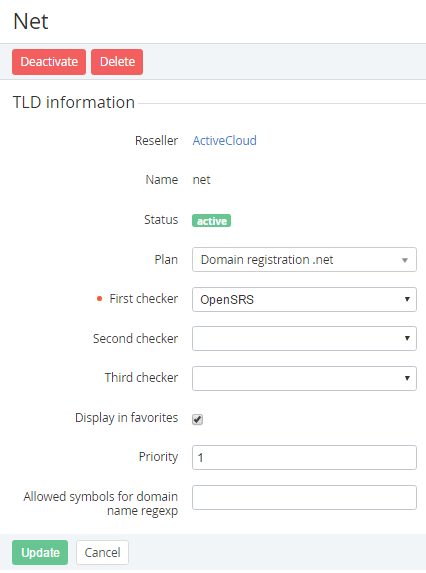
You can edit the following TLD settings:
Name — a name of the new TLD.Plan — a Plan that will require domain registration in this TLD.First Checker, Second Checker, Third Checker — a Domain Registrar (see Managing Domain Registrars) that will check domain availability for registration. To check the availability of domains for registration through a WHOIS-server, select the WHOIS-server in the First Checker list. You can add up to three checkers for the TLD. If more checkers needed, in the Second Checker or/and Third Checker list, select required checkers. If the First checker is unavailable, the check will be implemented through the Second checker and etc.Display in favorites — if the current TLD is displayed on the favorites list.Priority — a priority level of displaying of the TLD. The 1 is the highest priority.Allowed symbols for domain name regexp — a regular expression, which will check the symbols that can be used for domain registration. -
Click the Update button to save changes.