
To view and update Certificate's details:
-
Sign in to the Operator Control Panel.
-
On the Navigation Bar go to Certificates. The list of Certificates is displayed (see Viewing the List of Certificates).
-
Click the ID or Name link for the required Certificate.
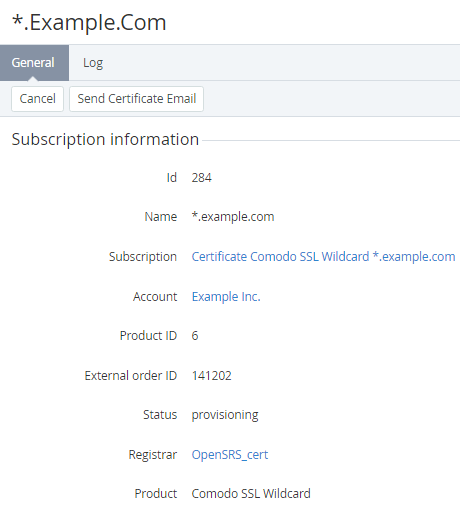
The Certificate's details page consists the following tabs:
-
General — general certificate information.
-
Log — a history of operation with the Certificate (see Viewing an object log).
The General tab includes the following elements:
-
Toolbar with following buttons:Cancel — return to the list of the certificates.Send Certificate Email — send a second email to the Customer in order to confirm the creation of the certificate.
-
the Subscription information group:ID — a unique identification number of the SSL certificate.Name — a name of the Domain, for which the SSL certificate was issued.Subscription — a name of the Subscription, which includes the SSL certificate.Account — a name of the Account, for whom the SSL certificate was issued.Registrar — a name of the registrar who issued the SSL certificate. Product — a type of SSL certificate.
-
the Certificate signing info group:
Country code — a two-letter ISO code (ISO 3166-1 alpha-2) for the country where the company is located.Domain name — a fully qualified domain name (FQDN) of the server. It matches the domain or subdomain for which SSL was ordered.Organization name — a legal name of your organization.Region — a state/region where the organization is located.City — a city where the organization is located.Email — an email address used to contact the organization. -
the CSR group:The certificate request (CSR) — a certificate request that has been generated recently.
-
the Private key group:Private key — a text of the private key of the SSL certificate.
-