
The log of an object is available on the Log tab of the object details page.
For example, to view the log for a payment:
-
Go to Payments (see Navigation). The list of payments is displayed (see Viewing the list of payments).
-
Click the ID or number of the required payment. The payment details page is displayed (see Viewing payment details).
-
Go to the Log tab.
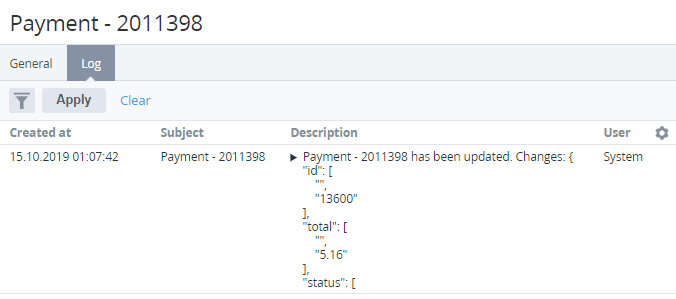
The log tab of an object includes the following columns:
-
Created at — date and time of an event.
-
Subject — object that was changed.
-
Description — additional information about an event. For custom attributes, entries include information about the key of every changed attribute (see Viewing the list of attributes).
-
User — name of the user who made the changes. For automatically triggered events, User = System.