
To view the list of products:
-
Go to Storefront (see Navigation). The General tab of the Customer Store Control Panel is displayed (see Customer Store general settings).
-
Go to the Products tab. The list of products is displayed.
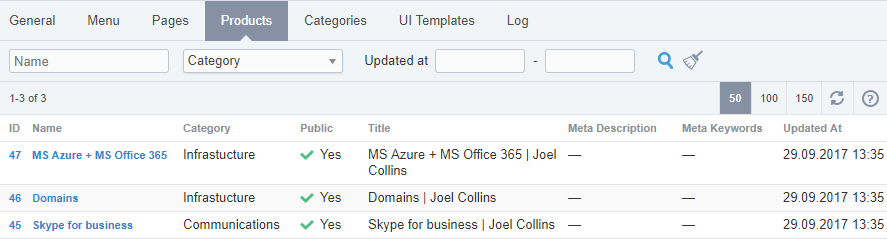
The list of products includes the following columns:
-
ID — the identification of a product.
-
Name — the marketing name of a product.
-
Category — the name of a product category (see Managing products and their categories).
-
Public — indicates whether a product is displayed in Storefront (see Creating a product and Category page).
-
Title — the title of a product for search engine optimization.
-
Meta description — the description of a product for search engine optimization (see Managing SEO information of a product page).
-
Meta keywords — the list of keywords of a product page for search engine optimization.
-
Updated at — the time and date of the product page SEO-information last update in the dd.mm.yyyy hh:mm format (see Managing SEO information of a product page).