
To view the list of application instances of a connector:
-
Go to Connectors (see Navigation). The list of connectors is displayed (see Viewing the list of connectors).
-
Click the ID or name of the required connector. The connector details page is displayed (see Viewing and updating connector details).
-
Go to the Application tab. The list of application instances is displayed.
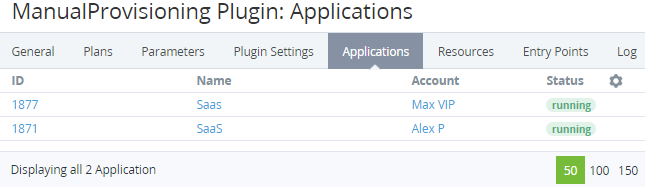
The list of application instances includes the following columns:
-
ID — the unique identification number of an application instance (see Viewing details about an application instance).
-
Account — the name of the account that uses the application instance.
-
Status — the status of an application instance.
-
Other columns — depending on the plugin used for the selected connector.