
To view the list of plans attached to a discount:
-
Go to Discounts. The list of discounts is displayed (see Viewing the list of discounts).
-
Click the ID or name of the required discount. The discount details page is displayed (see Viewing and updating discount details).
-
Go to the Plans tab. The list of attached plans is displayed.
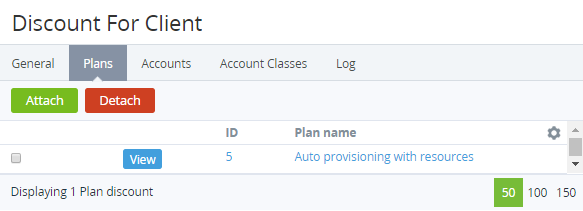
The list of attached plans includes the following elements:
-
The checkboxes for selecting plans (see Detaching a plan from the discount).
-
View — a button for viewing and updating the list of the periods and resources of a plan that can be ordered with the discount (see Attaching a plan to the discount).
-
ID — the unique identification number of a plan.
-
Plan name — the name of a plan.
The ID and name are links to the plan details page (see Viewing and updating a plan).