
To view the list of products received from Vendor Portal:
-
Go to Vendor Integration Settings (see Navigation).
-
Go to the Products tab.
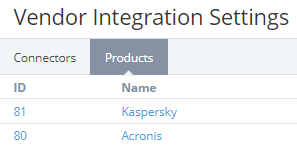
The list includes the following columns:
-
ID — the unique identification number of a product.
-
Name — the product name.
The ID and name are displayed as a link to the product details page (see Viewing and updating a product received from Vendor Portal) only for the reseller who received it from Vendor Portal.