
To view the list of manager roles, go to Roles (see Navigation).
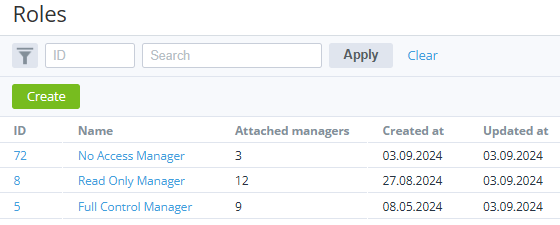
The list of roles includes the following columns:
-
ID — the unique identification number of a role.
-
Name — the unique name of a role.
-
Attached managers — the number of managers with this role. See also Viewing the list of managers with a particular role.
-
Created at — the creation date of a role.
-
Updated at — the date when a role was updated.
The ID and name are displayed as a link to a role's details page (see Viewing and updating a role).