
A transaction is an operation that reflects the movement of funds on the account balance.
To view the list of transactions:
-
Go to Accounts (see Navigation). The list of accounts is displayed (see Viewing the list of accounts).
-
Click the ID or name of the required account. The account details page is displayed (see Viewing and updating account's details).
-
Go to the Transaction tab. The list of transactions is displayed.
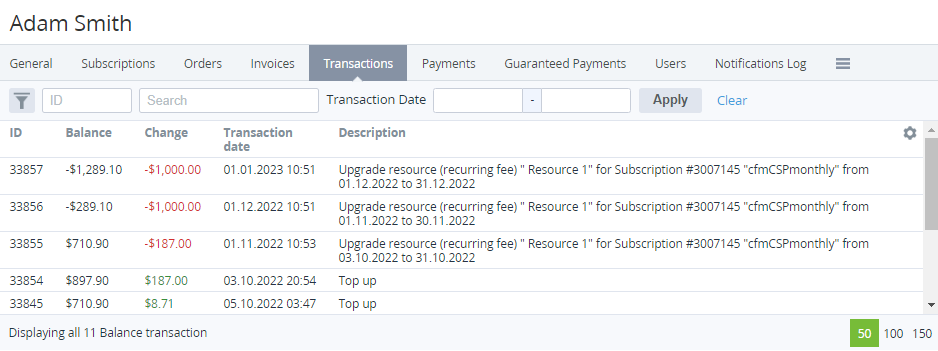
The list includes the following columns:
-
ID — the unique identification number of a transaction.
-
Balance — the account balance after a transaction.
-
Change — the amount of a transaction with the following notation:The red color for negative values.The green color for positive values.
-
Transaction date — the date and time of a transaction.
-
Description — the detailed information about a transaction. For postpaid payments paid from the account balance, the description includes the text Payment for postpaid services.