
Your user can be attached to several accounts and have different access levels for them (see Access levels of users). These accounts may be associated with one or several customers as follows:
-
Several accounts for one customer — for example, to split the bills.
-
One account per customer — when one person manages subscriptions of several customers.
When you log in to the Customer Control Panel of one of your accounts, you can switch to another one without re-entering the password.
To switch between accounts:
-
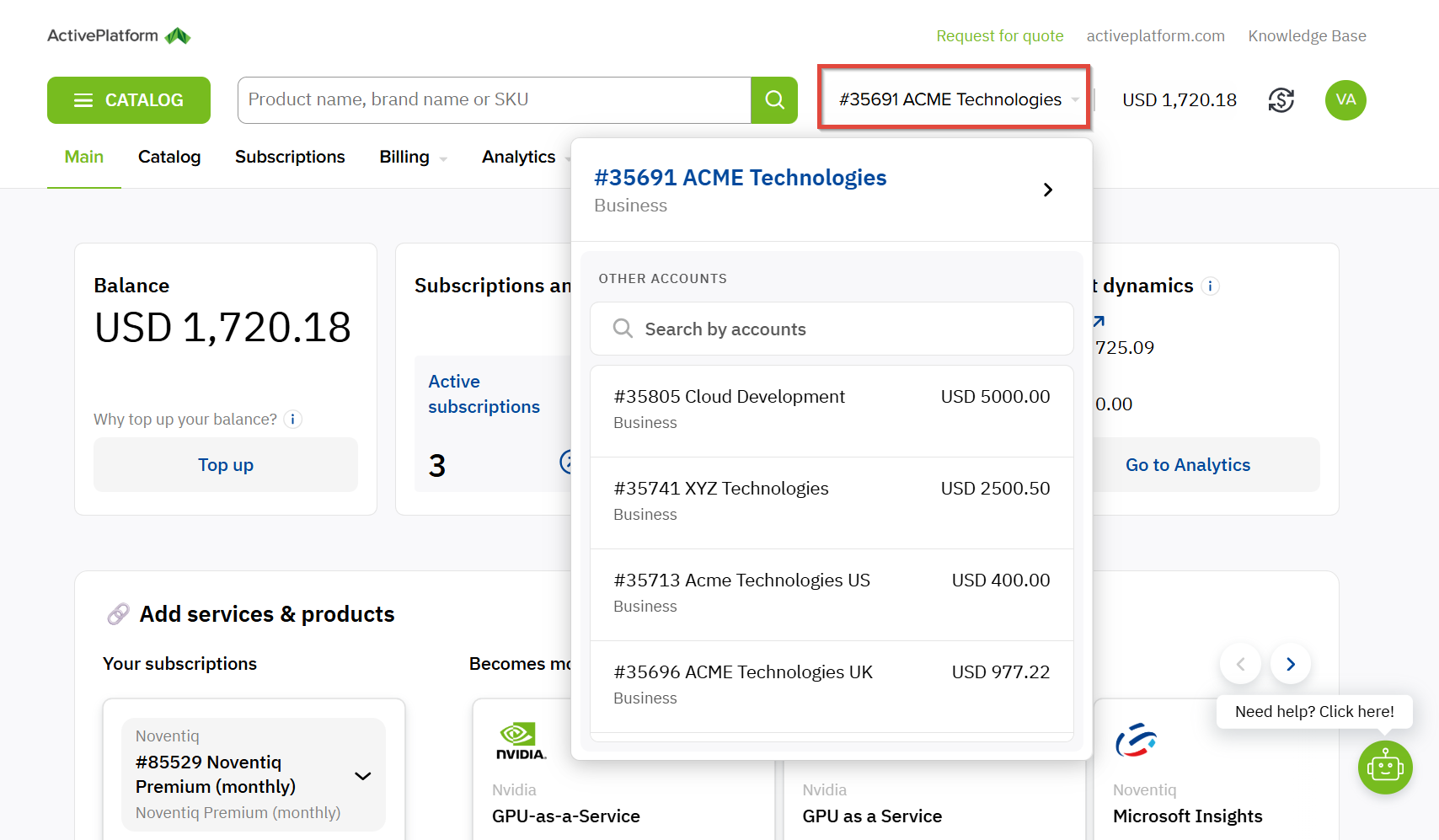
In the top menu, click the name of the current account.
The list of all accounts associated with your current user is displayed.
If an account from the list is blocked (see Blocked account), it is displayed with the Administrative hold label.
-
In the Other accounts list, find the required account.
-
You can also use the search bar to search by account ID and name (if you have more than seven accounts in the list).
Start entering the ID or name of the required account and the list will be automatically updated. -
Click the required account in the list to switch to it.
You will be redirected to the Customer Control Panel of the selected account, and the access level of your current user will change accordingly (see Access levels of users).