
Automatic markup can be managed only at the root or T1 reseller level. Markup rates are managed independently at each level and are not inherited from upstream resellers or delegated to downstream resellers.
To change the automatic markup for existing plans:
-
Go to Price List (see Navigation). The price list page is displayed (see Viewing the price list).
-
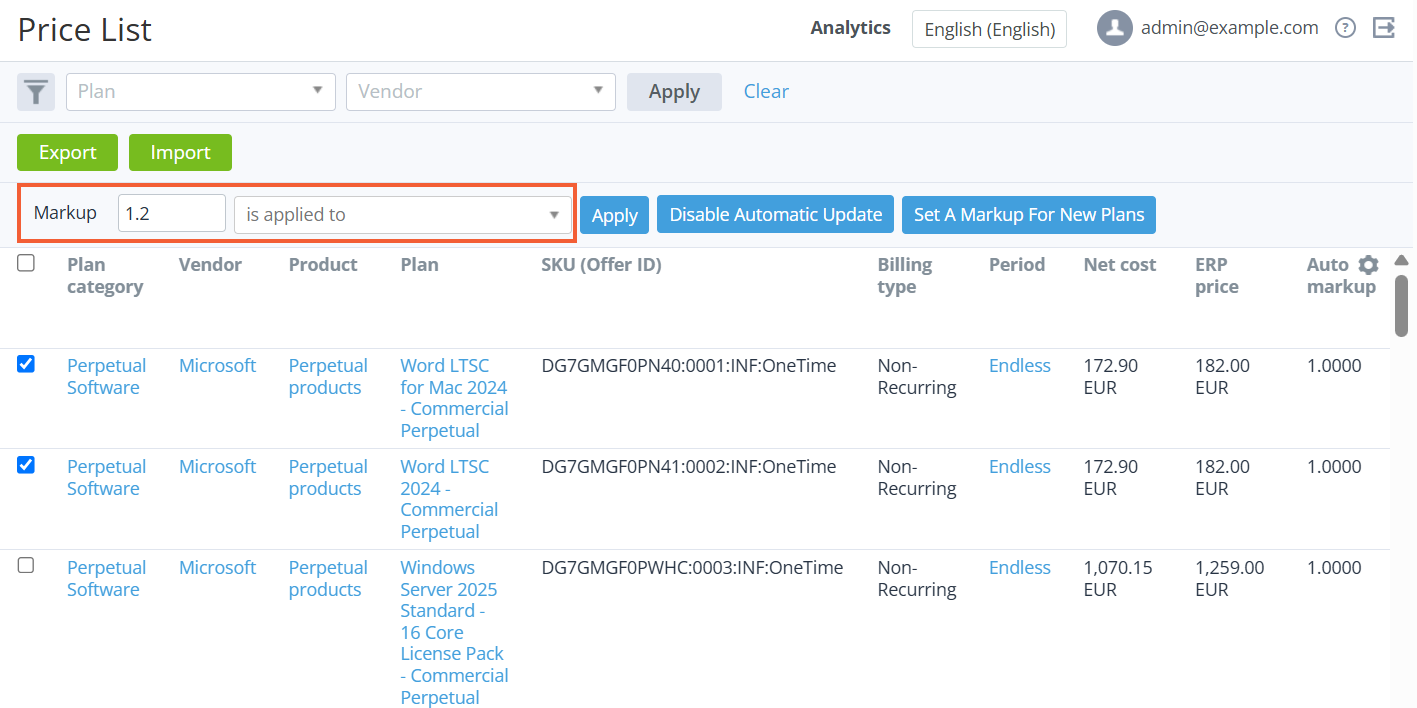
Select the checkboxes in the rows of the required plans.
To select all plans on the page, select the checkbox in the table header. Use the filters and search if necessary (see Viewing the price list).
-
If necessary, in the Markup field, enter the new value of the automatic markup: up to 4 decimal places, from 0.0001 to 999.9999.
-
If necessary, in the Is applied to list, select the common price type to which the markup (the current or new specified value) will be applied for all selected plans: the net cost or ERP (the price recommended by the vendor). If you need to apply the new markup to the current price types of the selected plans, keep this field empty.
-
Click Apply next to the Is applied to list. The confirmation window is displayed with information about the number of affected plans.
-
Click Confirm. An operation to change the automatic markup of the selected plans will be created (see Automatic operations that use scenarios).
As a result, the retail price and margin will be recalculated for the selected plans at the current root or T1 reseller level using the specified price type.
When the automatic markup of plans with the Pay as you go (external) billing type is changed, the downstream resellers do not receive the notification on the net cost change because the net costs for these plans are stored outside the platform. Therefore, the retail prices and the margins are not calculated.