
To create an attribute of a connector based on the Vendor Service Plugin (VSP) to pass additional information if a vendor cloud service requires such information for provisioning:
-
Go to Connectors (see Navigation). The list of connectors is displayed (see Viewing the list of connectors).
-
Click the ID or name of the required connector. The connector details page is displayed (see Viewing and updating connector details).
-
Go to the Attributes tab. The list of connector attributes is displayed (see Viewing the list of connector attributes).
-
Click Create. The new connector attribute page is displayed.
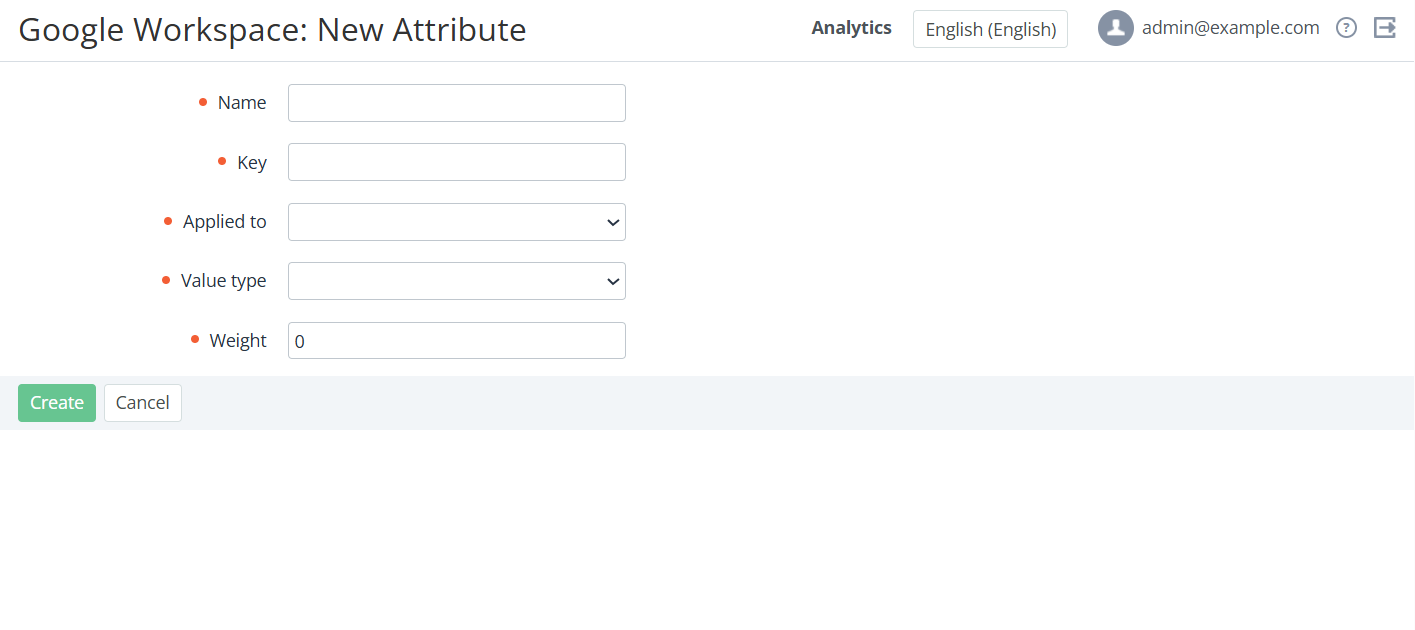
-
In the Name field, enter the connector attribute name.
-
In the Key field, enter the connector attribute key. The key must be unique for the entity type of the connector attribute (see below).
-
In the Applied to list, select the entity type for the connector attribute:
-
Subscription — subscription attribute values are set automatically during the service provisioning (see also Viewing details about an application instance).
-
Distributor — distributor attribute values are set manually in the Vendor Integration Settings section (see Vendor Service Settings) on the level of a reseller where plans are created.
-
Reseller — reseller attribute values are set manually in the Vendor Integration Settings section (see Vendor Service Settings) on the level of every reseller who sells subscriptions.
-
-
In the Value type list, select the type of the attribute values:
-
String — one-line text.
-
Password — one-line text, the value is masked.
-
Text — multiline text.
-
HTML widget — multiline text with HTML support.
-
-
In the Weight field, enter the number that defines the display order of the attributes in the list. Attributes with bigger weight are displayed higher. The default value is 0.
-
-
Click Create. The connector attribute will be created and displayed in the list.