
To change a currency rate inherited from the root reseller and specify the custom currency rate on a downstream reseller level:
-
Sign in to the Operator Control Panel on a downstream reseller level.
-
Go to Currency Rates (see Navigation). The list of currencies is displayed.
-
Click the ID or name of the required currency, The page with the exchange rates of the selected currency is displayed.
-
In the row with the required currency:
-
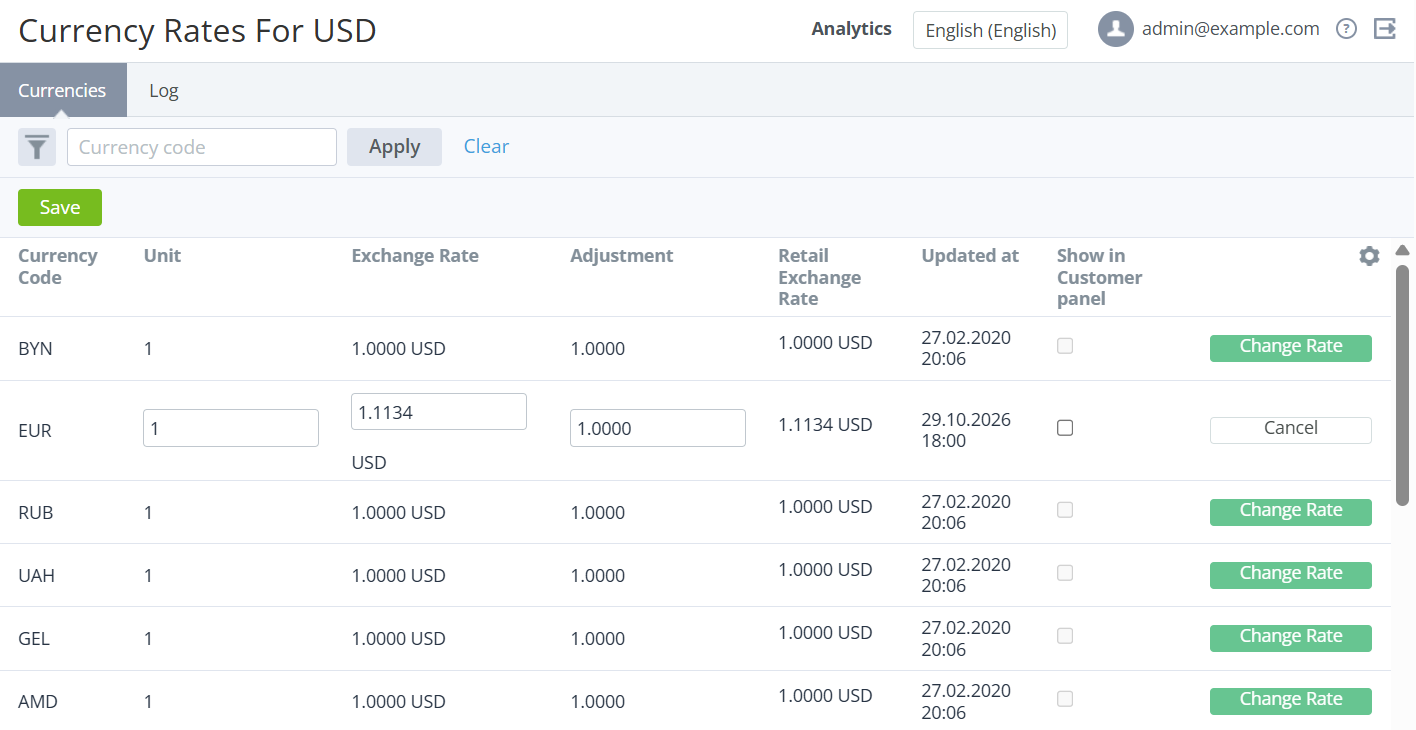
Click Change Rate. The Unit, Exchange Rate, and Adjustment fields become available for editing, the Cancel button is displayed.
-
In the Unit field, enter the number of currency units used for the currency rate (positive integer).
-
In the Exchange rate field, enter the value of the rate with up to 4 decimal places.
-
In the Adjustment field, enter a value between 0.0001 and 1000, by which the currency rate is multiplied.
-
-
Click Save. The specified currency rate is applied to this reseller only.