
To view currency rates on a downstream reseller level:
-
Sign in to the Operator Control Panel on a downstream reseller level.
-
Go to Currency Rates (see Navigation). The list of currencies is displayed.
-
Click the ID or name of the required currency, The page with the exchange rates of the selected currency is displayed.
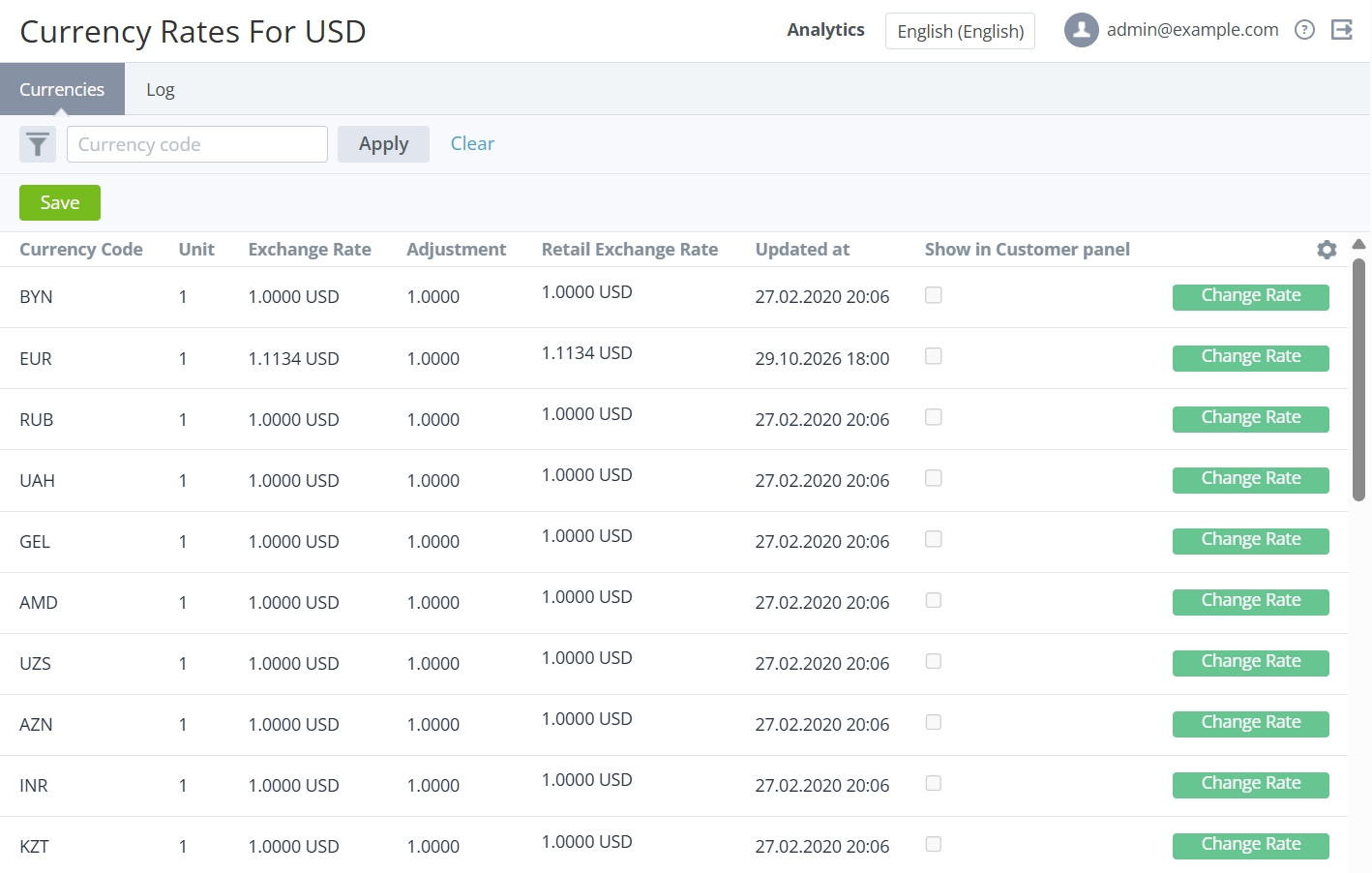
The page includes the list of exchange rates for the selected currency to all available currencies with the following columns:
-
Currency code — the currency code (ISO 4217).
-
Unit — the number of currency units used for the currency rate.
-
Exchange rate — the currency rate for the specified number of currency units.
-
Adjustment — a coefficient by which the currency rate is multiplied to calculate prices and charges for customers.
-
Retail exchange rate — the adjusted currency rate to calculate prices and charges for customers. Read-only.
-
Updated at — the date and time when the currency rate was updated.
-
Show in Customer panel — the checkbox for displaying the currency rate (from the Retail exchange rate field) in the Customer Control Panel.
-
Currency rate management — one of the following buttons:
-
Change Rate — displayed if the currency rate is inherited from the root reseller.
-
Cancel — displayed if the downstream reseller set the custom currency rate.
-