
The list of reseller charges is available only at the root level and cannot be accessed from the T1 level. Charges data is associated only with root/T1 resellers and doesn’t reference parent resellers.
To view the list of charges, go to Charges (see Navigation).
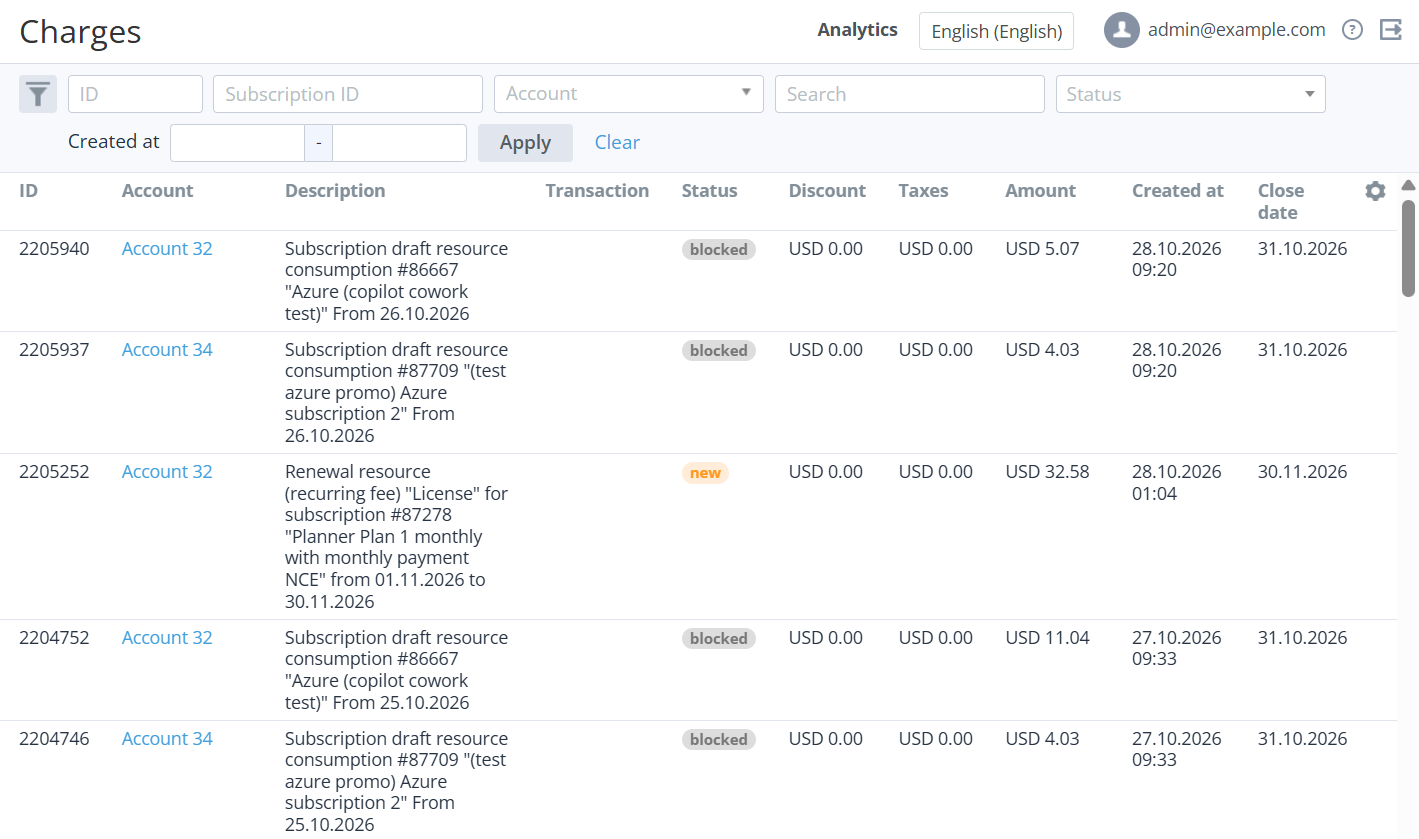
The list of charges includes the following columns:
-
ID — the unique identification number of a charge.
-
Account — the name of an account for which the charge was generated.
-
Description — the detailed information about a charge.
-
Transaction — the ID of a transaction linked to the charge. It is displayed only for the charges in the Closed or Refunded statuses (see Viewing the list of transactions).
-
Status — the charge status (for details, see Charges attributes).
-
Order — a link to the related order, or a dash — if a charge is not linked to an order. By default, not displayed.
-
Quantity — the number of resource units or service. By default, not displayed.
-
Duration — the period covered by a charge, or a dash — for subscriptions with the Pay as you go (external) billing type. By default, not displayed.
-
Unit price — the resource unit price or the period price — in the plan currency, or a dash — for subscriptions with the Pay as you go (external) billing type. By default, not displayed.
-
Currency rate — the currency rate applied to a charge to convert its amount from the plan to reseller currency, or a dash — if the currencies match. By default, not displayed.
-
Discount — the discount amount.
The amounts of orders and charges are rounded off to two decimal places. When a discount is applied, it may lead to a discrepancy between the amount of the order and charges. To avoid this, rounding off and applying a discount to the amounts of an order and charges is performed according to a special algorithm (see Specifics of orders and charges amounts calculation and rounding when a discount is applied).
-
Taxes — the amount of taxes applied to a charge when it was created (see Managing taxes).
-
Amount — the total amount of a charge with taxes and discount included.
-
Created at — the date and time when a charge is created.
-
Close date — the actual or supposed date when a charge gets the Closed status.
Using API, it is also possible to retrieve the start day of a billing period related to a closed charge and filter the list of charges by this date (check billing_day in section Charges of the API reference guide).
The /v3/charges API methods do not include parameters for the reseller hierarchy.