
The Tasks section is available only to the root reseller of the installation.
To view the list of tasks:
-
Sign in to the Operator Control Panel on the root reseller level.
-
Go to Tasks (see Navigation).
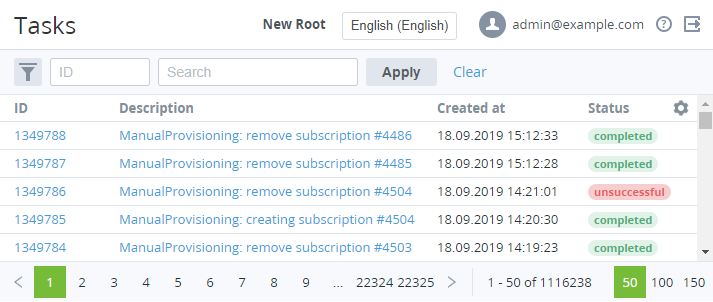
The list of tasks includes the following columns:
-
ID — the unique identification number of a task.
-
Description — the detailed information about a task.
-
Created at — the date and time when a task is created.
-
Status — one of the following statuses of a task:
-
Scheduled — a task is in the queue.
-
Running — a task is performed.
-
Unsuccessful — a task is failed.
-
Completed — a task is successfully processed.
-
Cancelled — a task is cancelled.
-