

Attaching a User
To attach a User to an Account:
- Sign in to the Operator Control Panel.
- On the Navigation Bar, go to Accounts (see Navigation). The list of Accounts is displayed (see Viewing the list of Accounts).
Click the ID or name of the required Account. The Account details page is displayed (see Viewing and updating Account's details).
- Go to the Users tab. The list of Users attached to the selected Account is displayed (see Managing Account's Users).
- On the Toolbar, click Attach User. The list of Users not yet attached to the Account is displayed.
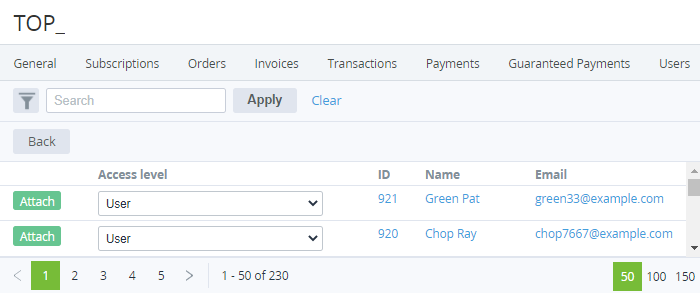
- In a row with every required User, in the Access Level list, select one of the following access levels for a User:
- User — minimum privileges, can only access Services assigned by Admin or Owner.
Finance manager — can pay Payments but cannot cancel them.
The current version of the Customer Control Panel does not support the Finance manager access level.
Administrator — can manage Subscriptions and other Users except Owner.
- In a row with every required User, click Attach.
- When finished, on the Toolbar, click Back. The attached Users are displayed in the list.