

Managing Account's Users
Users can access a Service if they are attached to an Account. Available Services depend on the Subscriptions ordered by the Account.
To attach Users to Accounts, use the following operations:
- Creating a User for an Account (see Creating a User).
- Attaching an existing User to an Account (see Attaching a User).
To view the list of Users attached to an Account:
- Sign in to the Operator Control Panel.
- On the Navigation Bar, go to Accounts (see Navigation). The list of Accounts is displayed (see Viewing the list of Accounts).
- Click the ID or name link for the required Account. The Account details page is displayed (see Viewing and updating Account's details).
- Go to the Users tab. The list of Users attached to the selected Account is displayed.
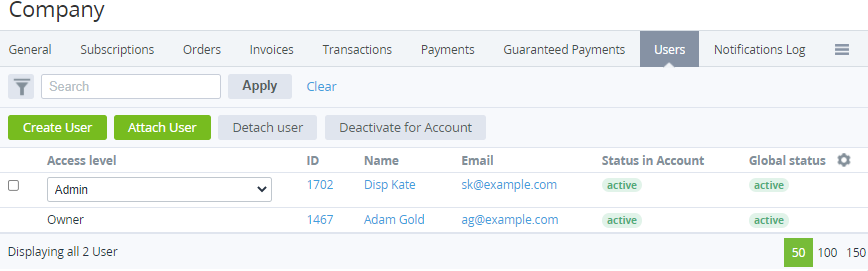
Every Account has at least one User with the Owner access level created or selected while a new Account is created (see Creating an Account).
The Users tab includes the following columns:
- Access Level — the current access level of a User: Owner, Admin, Finance manager, or User (see Managing Users).
- ID — the unique identification number of a User.
- Name — the User's name.
- Email — the email used as the login to the Customer Control Panel.
- Status in Account — the User's status within the current Account: active or inactive (see Global Deactivation of a User).
- Global Status — the User's status in ActivePlatform (for all attached Accounts): active or inactive.
The following operations with a User are available: