

Detaching a User
Detaching a User from an Account is used to break the connection between the User and the Account. User's access to the Customer Control Panel of the Account will be terminated.
All Services and credentials, including the mailboxes and their content created by Services, of a detached User previously connected to an Account are permanently deleted. To keep the data, create a local copy before detaching a User.
The following operation can also be used to terminate User's access to the Customer Control Panel:
- Deactivation of a User for a specific Account — to terminate User's access to the Customer Control Panel of the selected Account only. Deactivation / activation of the User is possible if the Global status of the User is Active (see Global Deactivation of a User).
- Global deactivation of a User — to terminate User's access to the Customer Control Panel of all Accounts, regardless of User's status for a specific Account (see Global Deactivation of a User).
To detach a User from an Account:
- Sign in to the Operator Control Panel.
- On the Navigation Bar, go to Accounts (see Navigation). The list of Accounts is displayed (see Viewing the list of Accounts).
Click the ID or name of the required Account. The Account details page is displayed (see Viewing and updating Account's details).
- Go to the Users tab. The list of Users attached to the selected Account is displayed (see Managing Account's Users).
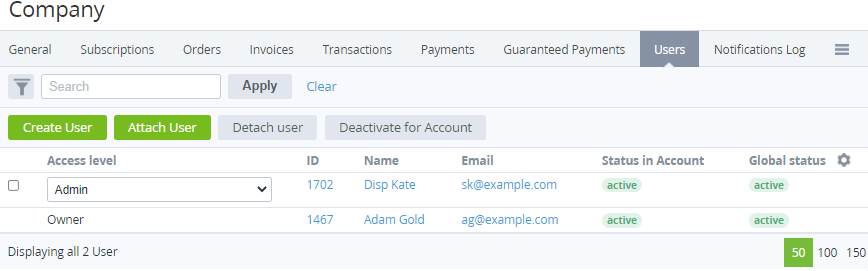
- In a row with every required User, select the checkbox.
- Click Detach User. The detached Users cannot access the Customer Control Panel of the Account, but information about the Users is stored in the Operator Control Panel.