To view and update the reseller general information:
-
Go to Resellers (see Navigation). The list of resellers is displayed (see Viewing the list of resellers).
-
Click the name of the required reseller. The General tab of the reseller details page is displayed with the following groups:
-
If it is necessary to update the reseller general information:Make the required changes in the fields available for editing.Click Update.
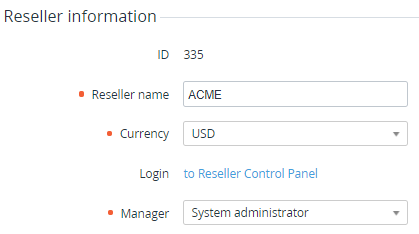
Reseller information
In the Reseller information group:
-
ID — the unique identification number of the reseller.
-
Reseller name — the name of the reseller as it is displayed in the Operator Control Panel.
-
Currency — the code of the reseller currency displayed as follows:A list with all available currencies (see Viewing the list of currencies) — if the reseller does not have subscriptions in any status, except for Deleted.A link to the currency rates page (see Managing currency rates) — if the reseller has at least one subscription in any status different from Deleted.
-
Login — a link to access the Operator Control Panel of the reseller (see Logging in to the Operator Control Panel of a reseller).
-
Manager — the responsible manager of the upstream reseller.
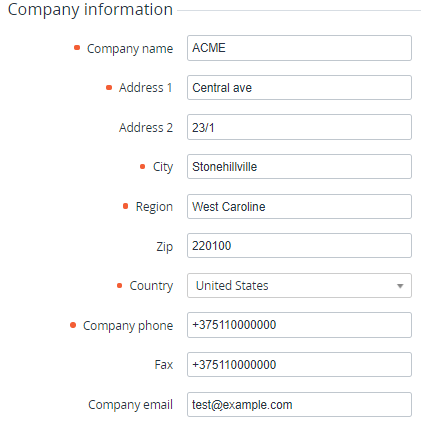
Company information
In the Company information group — the address information of the reseller.
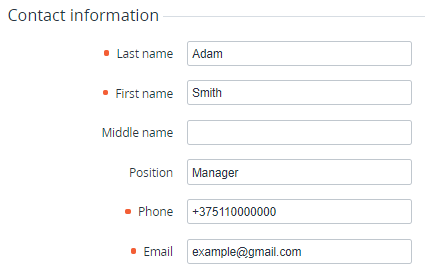
Contact information
In the Contact information group:
-
Information about the contact person of the reseller.
-
Custom attributes for the reseller entity (see Managing attributes).