
To view the list of corrections, go to Corrections (see Navigation).
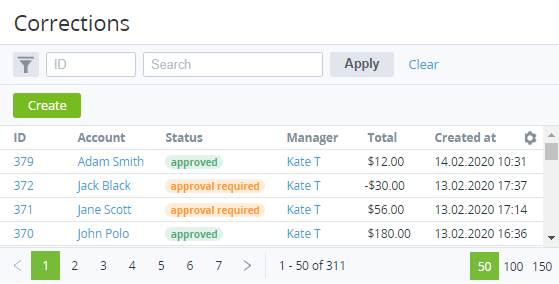
The list includes the following columns:
-
ID — the unique identification number of a correction.
-
Account — the name of an account linked to a correction.
-
Status — one of the following correction statuses.
Approval required — a new correction is created.Approved — a correction is approved.Declined — a correction is declined. -
Manager — the manager created a correction.
-
Total — the amount of a correction (can be negative).
-
Created at — the date and time when a correction is created.