
To view the list of plans delegated to a reseller:
-
Go to Resellers (see Navigation). The list of resellers is displayed (see Viewing the list of resellers).
-
Click the name of the required reseller. The reseller details page is displayed (see Viewing and updating reseller general information).
-
Go to the Delegated Plans tab. The list of delegated plans is displayed.
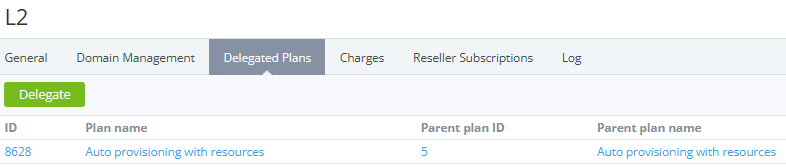
The list of plans includes the following columns:
-
ID — the unique identification number of a plan.
-
Plan name — the name of a plan.
-
Parent plan ID — the ID of the corresponding plan of the upstream reseller.
-
Parent plan name — the name of the corresponding plan of the upstream reseller.