
In the current version, support of services based on APS packages is limited.
To create a connector based on an APS package:
-
Sign in to the Operator Control Panel.
-
Go to Connectors (see Navigation). The list of connectors is displayed (see Viewing the list of connectors).
-
Click Create. The New Connector page is displayed.
-
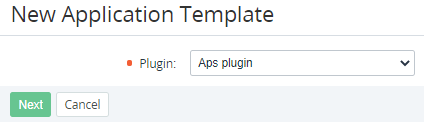
In the Plugin list, select Aps plugin.
-
Click Next. The page for entering information about the connector is displayed.
-
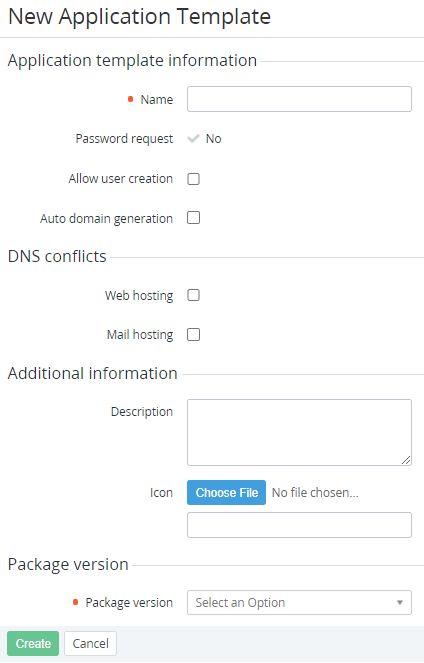
In the Name field, enter the name of the connector.
-
If necessary, select the following checkboxes:
-
Allow user creation — to activate creating mailboxes and adding a user at the same time.
-
Auto-domain generation — to allow creating a free test domain for a new Subscription.
-
Mail hosting — to create a mail service for a new Subscription.
-
Web hosting — to create a web hosting for a new Subscription.
-
-
If necessary, enter additional information:
-
In the Description field, enter information that will be displayed to customers in the Customer Control Panel.
-
To choose the icon for the connector, click the Choose File button. This logo will be displayed to customers in the Customer Control Panel.
-
-
In the Package version list, select the version of the APS package that will be used for the connector.
-
Click Create. The connector will be displayed in the list.