
To create a connector based on the Vendor Service Plugin (VSP):
-
Go to Connectors (see Navigation). The list of connectors is displayed (see Viewing the list of connectors).
-
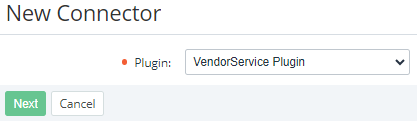
Click Create. The New Connector page is displayed.
-
In the Plugin list, select VendorService Plugin.
-
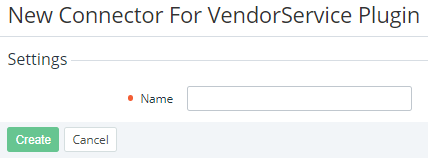
Click Next. The page for entering information about the connector is displayed.
-
In the Name field, enter the name of the connector.
-
Click Create. The new connector is created and displayed in the list.
-
Complete the connector configuration as follows:
-
Enter general and additional information about the connector (see Viewing and updating connector details).
-
Configure the integration settings of the connector (see Managing connector integration settings).
-
Create connector attributes (see Managing connector attributes).
-
Create connector resources (see Managing connector resources).
-
After that, your connector based on the Vendor Service Plugin (VSP) is ready for plan creation (see Creating a plan).