
Taxes created in the Taxes section are included in the calculations of charges and subscriptions for the T1 reseller. The current version of the platform does not support adding taxes to charges created in the Taxes section – you can only do this within the Postpay model using API (see Add taxes). To inform customers whether taxes are included in their payments and orders, you can use UI templates (see Configuring UI templates).
Taxes can be created and managed only at the T1 reseller level. Each T1 reseller can view and manage only the taxes they have created. Taxes are not available at the root or other reseller levels.
To create a tax:
-
Go to Taxes (see Navigation). The list of taxes is displayed (see Viewing the list of taxes).
-
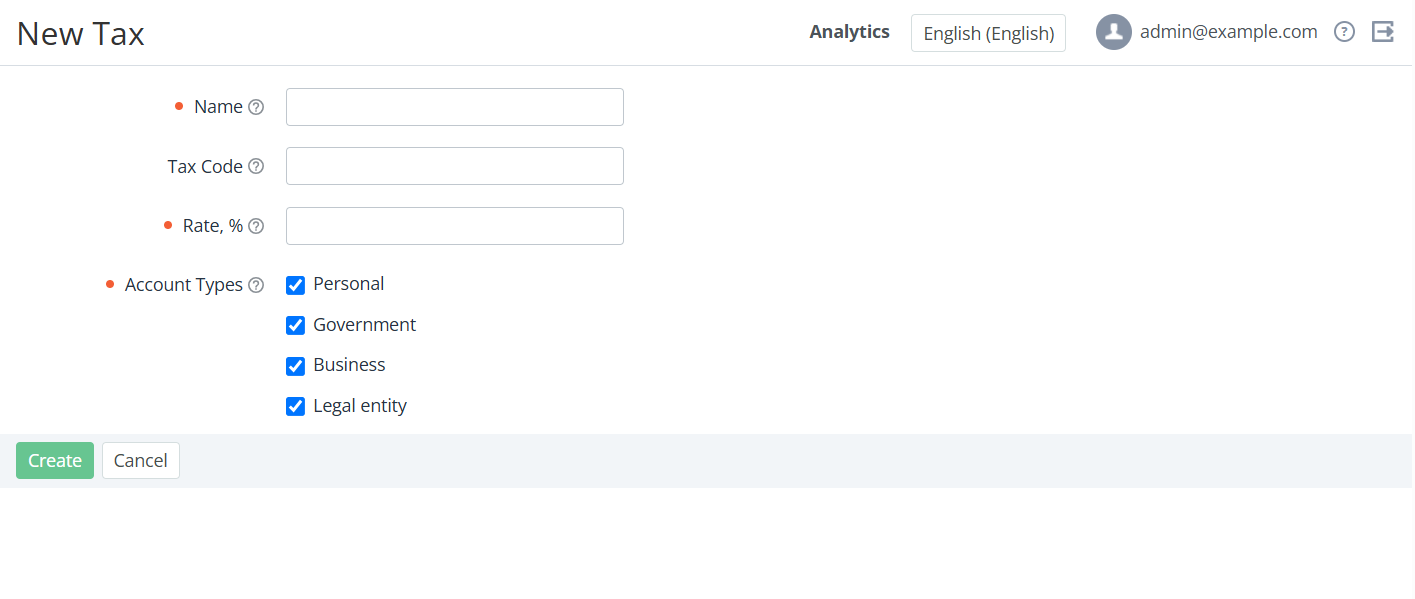
Click Create Tax. The New Tax page is displayed.
-
In the Name field, enter the tax name to be displayed in orders, payments, and invoices.
-
Optionally, in the Tax Code field, enter the tax code that can be displayed in PDF receipts of payments and invoices.
-
In the Rate, % field, enter a number — the tax rate percentage. The tax rate can be 0 and have up to two decimal places.
-
In the Account Types group, leave the checkboxes selected for account types for which the tax must apply. By default, all account types are selected.
-
-
Click Create. The tax is created and displayed in the list of taxes.