
In this article:
Viewing a tax
Taxes can be viewed and managed only at the T1 reseller, and each T1 reseller can view and manage only the taxes they have created. Taxes are not available at the root or other reseller levels.
To view a tax:
-
Go to Taxes (see Navigation). The list of taxes is displayed (see Viewing the list of taxes).
-
Click the ID or name of the required tax. The tax details page is displayed.
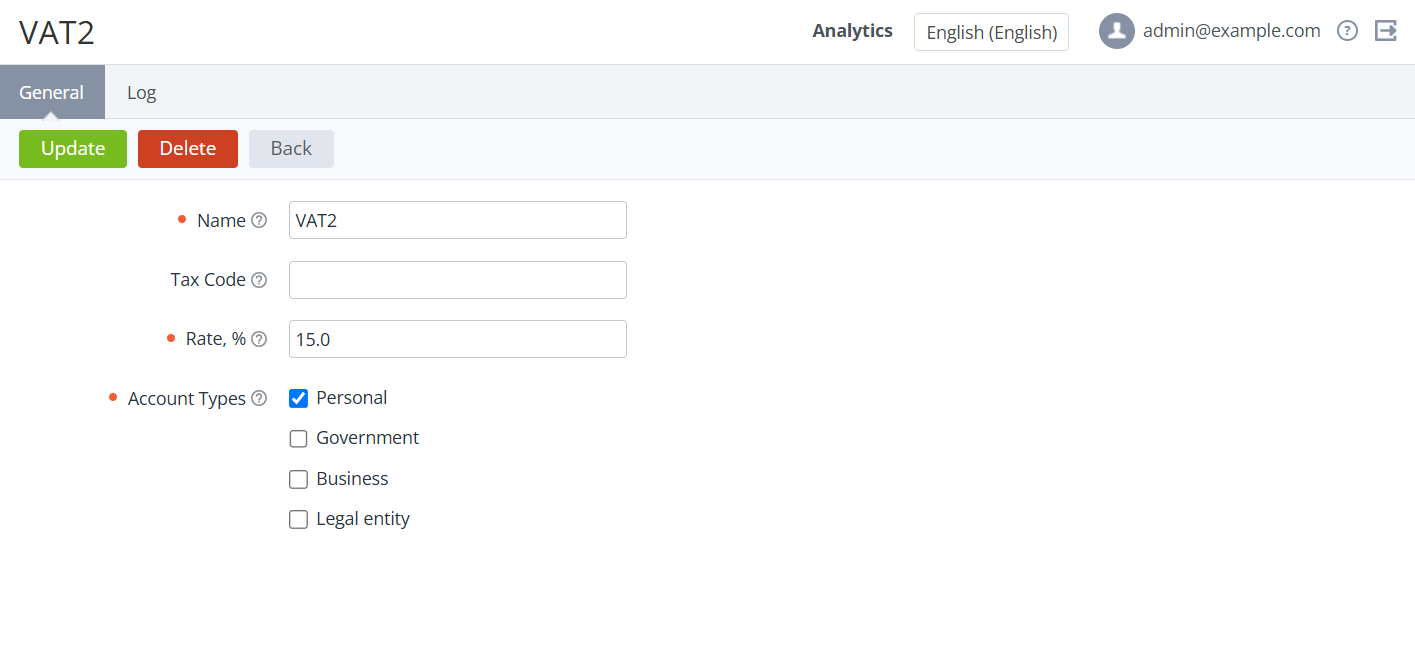
The page includes the following tabs:
-
General — information about the tax, similar to the tax creation page (see Creating a tax).
-
Log — the history of the tax operations (see Viewing an object log).
Updating a tax
To update a tax:
-
On the General tab, edit the required parameters (see Creating a tax).
-
Click Update. The changes are applied only on the current T1 reseller level.
Deleting a tax
To delete a tax, on the General tab, click Delete and confirm the action.
The tax is deleted only on the current T1 reseller level. Charges that are already generated with the tax applied do not change.