
To view the list of subscriptions, go to Subscriptions (see Navigation).
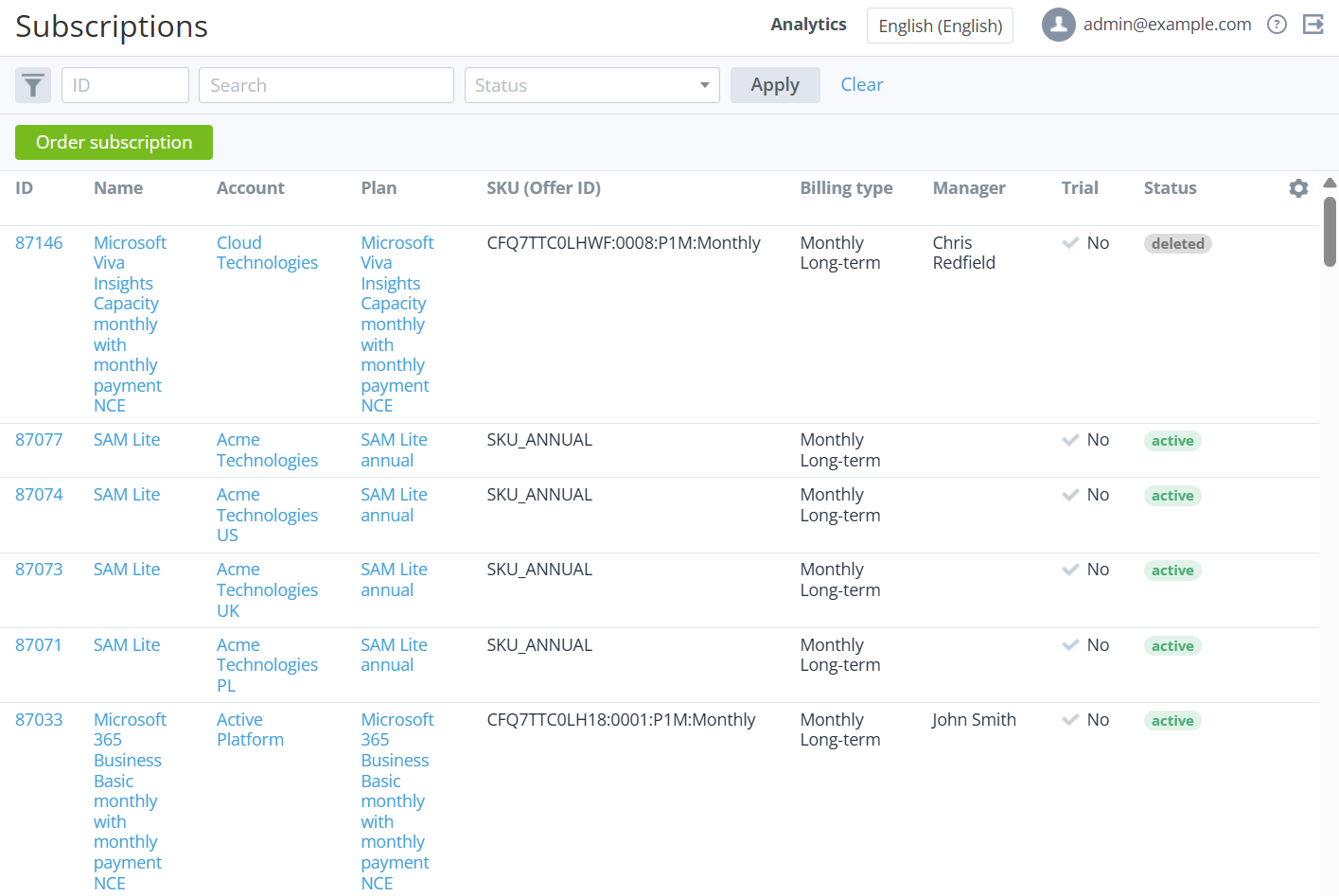
The list of subscriptions includes the following columns:
-
ID — the unique identification number of a subscription.
-
Name — the subscription name.
-
Account — the account name.
-
Plan — the plan name.
-
SKU (Offer ID) — the SKU of a plan. By default, the column is not displayed.
-
Billing type — the billing type of a plan. By default, the column is not displayed.
-
Manager — the name of a personal manager.
-
Trial — the type of subscription:
-
Yes — a subscription to a free trial period.
-
No — a subscription to a paid commercial period.
-
-
Status — the subscription status.
-
Payment model — one of the following models:
-
Postpay — a customer pays after using a service.
-
Prepay — a customer pays before using a service.
-
-
Created at — the date when a subscription is created. By default, the column is not displayed.
-
Start date — the activation date of a subscription.
-
Updated at — the date when a subscription is updated.
-
Expiration date — the last day of a subscription.
-
Renewal — the number of a linked renewal order or delayed switch plan order in the Waiting for provisioning or Provisioning status (if exists). By default, the column is not displayed.
-
Auto-renew — the autorenewal option status for a subscription. By default, the column is not displayed:
-
Yes — auto-renewal is on.
-
No — auto-renewal is off or not applied due to the billing type or endless subscription period.
-
-
Plan price change — the date of the expected price change of a plan if the Price change parameter is enabled (see Editing general information about a plan). If not enabled, the column is empty. By default, the column is also hidden.
-
Paid to — a date, depending on the billing type (see Prolonging a subscription). By default, the column is not displayed.
-
For a subscription with the Monthly Prolongation, Monthly Commitment, or Monthly Calendar Commitment billing type — there is an order in the Completed status that covers a period up to the indicated date.
-
For a subscription with the Pay as you go billing type — the value is absent.
-
For a subscription with any other billing type — the date is set to the expiration date right after purchase.
-
-
Individual price — the subscription prices source:
-
Yes — a subscription is ordered at the individual prices or at the individual markup specified by a manager (see Ordering a subscription at the individual prices and Ordering a subscription at the individual markup).
-
No — a subscription is ordered at the plan prices (see Ordering a subscription at the plan prices).
-
-
Main resource — the name of a resource with the highest priority (see Plan Resources). If several resources have the highest priority, the name of the first resource is displayed using the following sorting rule: numbers, A to Z, А to Я. By default, the column is not displayed.
-
Amount of main resource — the total quantity of the main resource ordered in the subscription as the sum of the included and additional quantity of the resource. By default, the column is not displayed.
-
Current cost of main resource, unit/month — the monthly cost of the main resource per unit. By default, the column is not displayed.
-
Currency — the currency of the plan of a subscription. By default, the column is not displayed.
You can filter the list of subscriptions by the following parameters:
-
ID
-
Search
-
Status
-
Payment model
-
Manager
-
Trial
-
Plan
-
Start date
-
Created at
-
Updated at
-
Plan category
-
Product
-
Endless
-
Expiration date
-
Paid to
-
Individual price
-
Auto-renew
-
Plan price change — specify a date range to filter plans by the Price change date