
To attach a user to an account:
-
Go to Accounts (see Navigation). The list of accounts is displayed (see Viewing the list of accounts).
-
Click the ID or name of the required account. The account details page is displayed (see Viewing and updating account's details).
-
Go to the Users tab. The list of users attached to the selected account is displayed (see Managing account's users).
-
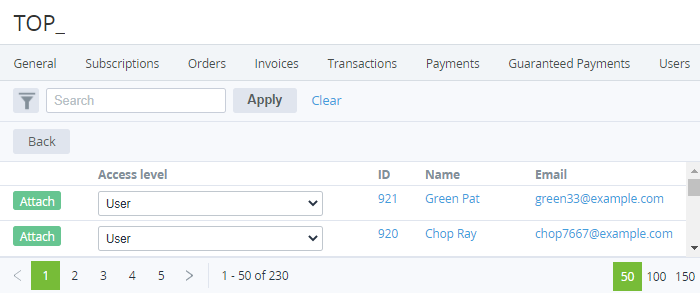
Click Attach User. The list of users not yet attached to the account is displayed.
-
In a row with every required user, in the Access level list, select one of the following access levels for a user:
User — minimum privileges, can only access services assigned by an Admin or the Owner.Finance manager — can pay payments but cannot cancel them.Admin — can manage subscriptions and other users except for the Owner.Technical manager — same privileges as Admin but cannot access the Service management section (see Service management).To make a user the account Owner, see Changing the user's access level. -
In a row with every required user, click Attach.
-
When finished, click Back. The attached users are displayed in the list.