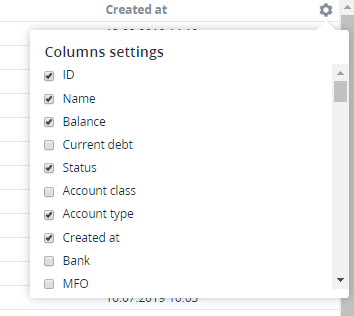
Configuring displayed columns

To configure columns you want to see in the list of objects (see Screen layout):

  1. In the top right-hand corner of the list of objects, click  https://docs.activeplatform.com/download/thumbnails/45746199/image2019-8-14_13-47-50.png?version=1&modificationDate=1565779670774&api=v2 . The Columns settings menu appears.

    image2019-8-15_12-2-42.png

  2. Select the required columns. The changes are applied immediately.