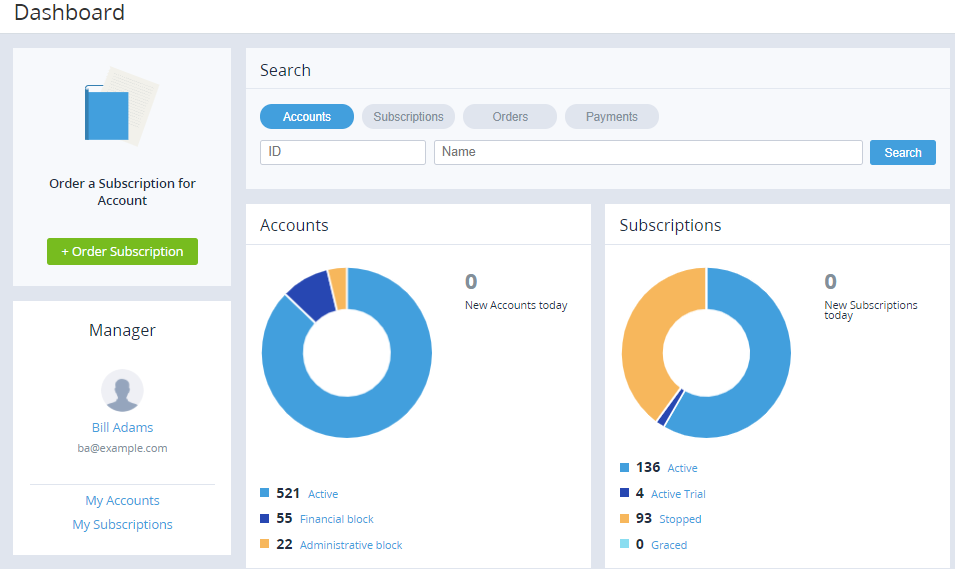
The main page is displayed after logging in to the Operator Control Panel. The main page includes the following sections:
-
A section with a button to order a subscription (see Ordering subscriptions).
-
The Search section. Click an entity you need to find (Accounts, Subscriptions, Orders, or Payments), enter the ID or name in the corresponding field below, and click Search.
-
The Accounts and Subscription pie charts, providing information about accounts and subscriptions (see also Viewing the list of subscriptions and Viewing the list of accounts).
-
A section with information about the current manager. To view accounts or subscriptions linked to the manager, click My Accounts or My Subscriptions, respectively.