
Exporting a list as a file is available to systems administrators and managers with the Read only and Full control access level (see Creating a role).
To export the list of objects as a file and get it by email:
-
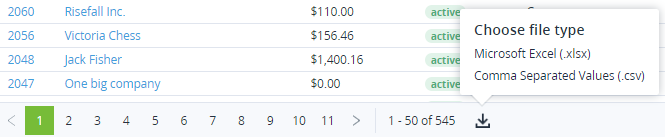
On the page navigation bar, click Export

-
Select the preferable file format:XLSX.CSV.
A file in the selected format with exported data will be sent to the manager's email who has requested the data.